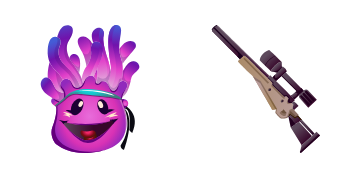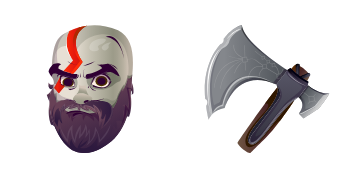
Fusion cursor

Fusion Custom Cursor Pack mit süßem Cursor für Fans des Themas.

Try this cursor

Move across the preview to feel both cursor styles.

Fusion cute cursor pack preview
Hover these
Auto · default + hover
43
Der Fusion Cursor ist eine elegante und moderne Ergänzung zur Cursors Collection. Mit seinem metallischen Design und seinen glatten Bewegungen bringt er Ihrem Browser-Erlebnis ein futuristisches Gefühl. Der Cursor ist leicht zu sehen und zu navigieren, was ihn zu einer praktischen Wahl für den täglichen Gebrauch macht. Ob Sie über soziale Medien scrollen oder an einem Projekt arbeiten, der Fusion Cursor fügt Ihrem Online-Aktivitäten einen Hauch von Raffinesse hinzu.Wenn Ihnen das Cursor-Paket Fusion gefällt, hat die Kollektion Fortnite Chapter 2 noch viele weitere interessante Optionen für Sie.

You may also like

Explore other cursor packs from our collection

Fischstick Cursor-Paket

Fischstick Cursor-Paket

Wähle Fischstick - cute Cursor und Custom Cursor ohne Ballast.

Ansehen
Guten Morgen Marauder Cursor-Paket

Guten Morgen Marauder Cursor-Paket

Guten Morgen Marauder - Custom Cursor und cute Cursor für den Browser.

Ansehen
Scratch Cursor-Paket

Scratch Cursor-Paket

Probier Scratch: süßes Cursor Pack und fertige Custom Cursors.

Ansehen
Fortnite 2: Renegade Raider Cursor-Paket

Fortnite 2: Renegade Raider Cursor-Paket

Lade Fortnite 2: Renegade Raider - cute Cursor und Custom Cursor für den Alltag.

Ansehen
Der Rabbit Raider Cursor-Paket

Der Rabbit Raider Cursor-Paket

Süßer Cursor Der Rabbit Raider frischt Klicks auf - free Custom Cursor für den PC.

Ansehen
Fortnite Storm Skin & Hand of Lightning Cursor-Paket

Fortnite Storm Skin & Hand of Lightning Cursor-Paket

Fortnite Storm Skin & Hand of Lightning cute cursor download - free custom cursor for everyday clicks.

Ansehen
Ripte Cursor-Paket

Ripte Cursor-Paket

Lade Ripte - cute Cursor und Custom Cursor für den Alltag.

Ansehen
Fortnite 2: Raven Cursor-Paket

Fortnite 2: Raven Cursor-Paket

Wähle Fortnite 2: Raven - cute Cursor und Custom Cursor ohne Ballast.

Ansehen

How to Install Fusion

How to Install cursor Fusion for Chrome

Fusion preview

Fusion

Fusion Custom Cursor Pack mit süßem Cursor für Fans des Themas.
  1. 1
    Go to Chrome Web Store

    Hit the 'Add to Browser' button to get the 'Fusion' pack.

  2. 2
    Add the Extension

    On the Chrome Web Store, smash that ‘Add to Chrome’ button and confirm.

  3. 3
    Pin for Easy Access

    Pro-tip: Pin the 'Cute Cursors' extension to your toolbar for quick access.

  4. 4
    Activate Your Cursor

    Open the extension, find the 'Fusion' pack, and click to activate. Easy peasy!

Piece of cake, right? Go on and have fun!

Didn't Find Your Vibe?

Our universe of cursors is huge. Dive into hundreds of unique collections and find the one that truly represents you.

Explore All Collections