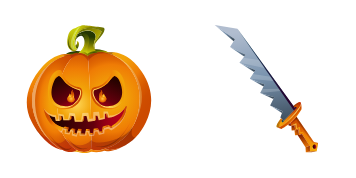
Dunkler Bomber cursor

Süßer Cursor Dunkler Bomber - kostenloses Custom Cursor Set für den Desktop.

Try this cursor

Move across the preview to feel both cursor styles.

Dunkler Bomber cute cursor pack preview
Hover these
Auto · default + hover
39
Einführung des Dark Bomber Cursors aus der Cursors Collection, perfekt für Spieler und Fans des beliebten Videospiels Fortnite. Das schlanke und stilvolle Design verfügt über ein lila- und schwarzes Farbschema mit einer unheimlichen Silhouette des Dark Bomber Charakters. Dieser lustige und funktionelle Cursor eignet sich für jeden Browser und macht das Surfen auf Ihren Lieblings-Websites sicherlich aufregender.Entdecken Sie weitere coole Cursor in der Kollektion Fortnite Chapter 2, die dieses und andere Pakete bietet.

You may also like

Explore other cursor packs from our collection

Fortnite 2: Punk Skin Cursor-Paket

Fortnite 2: Punk Skin Cursor-Paket

Fortnite 2: Punk Skin - Custom Cursor und cute Cursor für den Browser.
Ansehen
Fortnite 2: Rabbit Raider Cursor-Paket

Fortnite 2: Rabbit Raider Cursor-Paket

Wähle Fortnite 2: Rabbit Raider - cute Cursor und Custom Cursor ohne Ballast.
Ansehen
Fortnite 2: Raven Cursor-Paket

Fortnite 2: Raven Cursor-Paket

Wähle Fortnite 2: Raven - cute Cursor und Custom Cursor ohne Ballast.
Ansehen
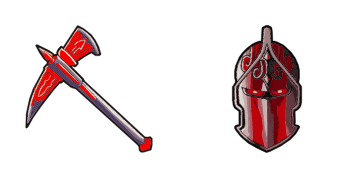
Fortnite 2: Raven Cursor-Paket

Fortnite 2: Raven Cursor-Paket

Fortnite 2: Raven Custom Cursor Pack mit süßem Cursor für Fans des Themas.
Ansehen
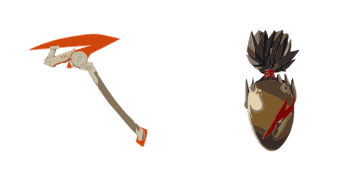
Fortnite 2: Red Knight Cursor-Paket

Fortnite 2: Red Knight Cursor-Paket

Fortnite 2: Red Knight Cursor Pack mit cute Cursor Stil für Chrome, Edge und Windows.
Ansehen
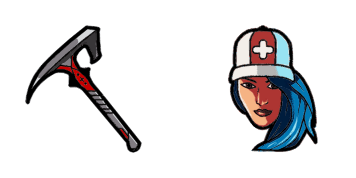
Fortnite 2: Red Strike Cursor-Paket

Fortnite 2: Red Strike Cursor-Paket

Fortnite 2: Red Strike Custom Cursor Pack mit süßem Cursor für Fans des Themas.
Ansehen
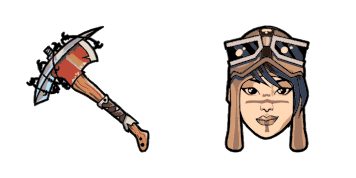
Fortnite 2: Remedy Cursor-Paket

Fortnite 2: Remedy Cursor-Paket

Probier Fortnite 2: Remedy: süßes Cursor Pack und fertige Custom Cursors.
Ansehen
Fortnite 2: Renegade Raider Cursor-Paket

Fortnite 2: Renegade Raider Cursor-Paket

Lade Fortnite 2: Renegade Raider - cute Cursor und Custom Cursor für den Alltag.

Ansehen

How to Install Dunkler Bomber

How to Install cursor Dunkler Bomber for Chrome

Dunkler Bomber preview

Dunkler Bomber

Süßer Cursor Dunkler Bomber - kostenloses Custom Cursor Set für den Desktop.

  1. 1
    Go to Chrome Web Store

    Hit the 'Add to Browser' button to get the 'Dunkler Bomber' pack.

  2. 2
    Add the Extension

    On the Chrome Web Store, smash that ‘Add to Chrome’ button and confirm.

  3. 3
    Pin for Easy Access

    Pro-tip: Pin the 'Cute Cursors' extension to your toolbar for quick access.

  4. 4
    Activate Your Cursor

    Open the extension, find the 'Dunkler Bomber' pack, and click to activate. Easy peasy!

Piece of cake, right? Go on and have fun!

Didn't Find Your Vibe?

Our universe of cursors is huge. Dive into hundreds of unique collections and find the one that truly represents you.

Explore All Collections