8 Ball cursor

Süßer Cursor 8 Ball frischt Klicks auf - free Custom Cursor für den PC.

Try this cursor

Move across the preview to feel both cursor styles.

8 Ball cute cursor pack preview
Hover these
Auto · default + hover
294
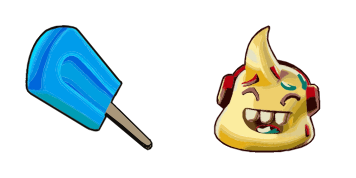
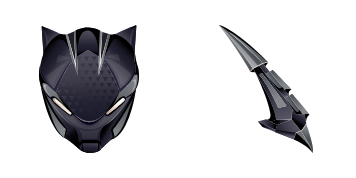
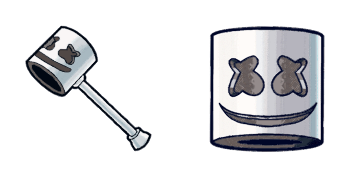
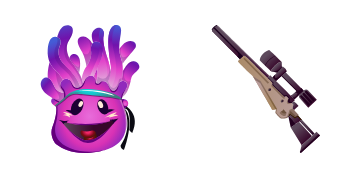
Der 8-Ball-Cursor aus der Fortnite Chapter 2 Cursor Collection fügt Ihrem Browser-Erlebnis einen Hauch von Aufregung hinzu. Mit dem ikonischen schwarzen und weißen 8-Ball-Logo ist der Cursor elegant und stilvoll, was ihn perfekt für Spieler und Enthusiasten gleichermaßen macht. Seine glatte Animation und reagierende Bewegung sorgen dafür, dass Ihre Browser-Erfahrung nicht nur visuell befriedigend, sondern auch effizient ist. Egal, ob Sie ein Hardcore-Fortnite-Spieler sind oder einfach nur ein Fan der Ästhetik des Spiels, der 8-Ball-Cursor ist ein Muss für alle, die ihrem Browser-Erlebnis ein wenig Spaß hinzufügen möchten.Die Kollektion Fortnite Chapter 2 enthält dieses Cursor-Paket und viele weitere einzigartige Optionen zur Personalisierung Ihres Desktops oder Browsers.

You may also like

Explore other cursor packs from our collection

Ripte Cursor-Paket

Ripte Cursor-Paket

Lade Ripte - cute Cursor und Custom Cursor für den Alltag.

Ansehen
8 Ball Cursor-Paket

8 Ball Cursor-Paket

8 Ball - Custom Cursor und cute Cursor für den Browser.

Ansehen
Dunkler Bomber Cursor-Paket

Dunkler Bomber Cursor-Paket

Dunkler Bomber: soft cute Cursor im fertigen Custom Cursor Pack.
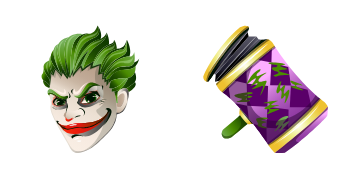
Ansehen
Britischer Bomber Cursor-Paket

Britischer Bomber Cursor-Paket

Süßer Cursor Britischer Bomber frischt Klicks auf - free Custom Cursor für den PC.

Ansehen
Rex Dino Fortnite Cursor-Paket

Rex Dino Fortnite Cursor-Paket

Rex Dino matte cute cursor - free custom cursor for Fortnite fans.

Ansehen
Splatterella Cursor-Paket

Splatterella Cursor-Paket

Splatterella Custom Cursor Pack mit süßem Cursor für Fans des Themas.
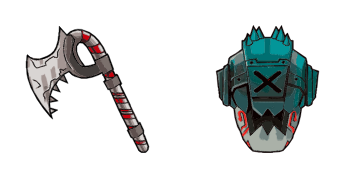
Ansehen
Drift Maske Cursor-Paket

Drift Maske Cursor-Paket

Wähle Drift Maske - cute Cursor und Custom Cursor ohne Ballast.

Ansehen
Remedy Cursor-Paket

Remedy Cursor-Paket

Remedy: soft cute Cursor im fertigen Custom Cursor Pack.
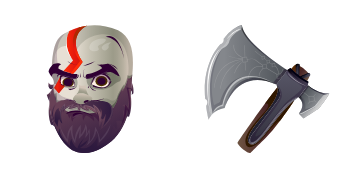
Ansehen

How to Install 8 Ball

How to Install cursor 8 Ball for Chrome

8 Ball preview

8 Ball

Süßer Cursor 8 Ball frischt Klicks auf - free Custom Cursor für den PC.

  1. 1
    Go to Chrome Web Store

    Hit the 'Add to Browser' button to get the '8 Ball' pack.

  2. 2
    Add the Extension

    On the Chrome Web Store, smash that ‘Add to Chrome’ button and confirm.

  3. 3
    Pin for Easy Access

    Pro-tip: Pin the 'Cute Cursors' extension to your toolbar for quick access.

  4. 4
    Activate Your Cursor

    Open the extension, find the '8 Ball' pack, and click to activate. Easy peasy!

Piece of cake, right? Go on and have fun!

Didn't Find Your Vibe?

Our universe of cursors is huge. Dive into hundreds of unique collections and find the one that truly represents you.

Explore All Collections