

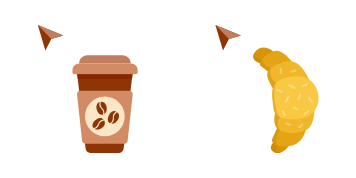
Kaffee und Croissant Cursor-Paket
Kaffee und Croissant Cursor Pack mit cute Cursor Stil für Chrome, Edge und Windows.
Grilled Cheese cursor with a Tomato Soup pointer - cozy comfort-food spirit for every tasty click.
Try this cursor
Move across the preview to feel both cursor styles.

Rep Grilled Cheese with this custom cursor: a cozy comfort-food food buddy arrow paired with a matching Tomato Soup food-character pointing hand. The Grilled Cheese cute cursor is a free custom cursor for Chrome and Edge, and it also works on Windows 10/11 through the Custom Cursor app.
Unofficial cozy comfort-food fan art only - not affiliated with any brand. Soft darkened rim, no white sticker border. It is fan-made cursor art with no official affiliation.
Grab the free Grilled Cheese custom cursor for Chrome and Edge, and on Windows via the Custom Cursor app.
Explore other cursor packs from our collection
Kaffee und Croissant Cursor Pack mit cute Cursor Stil für Chrome, Edge und Windows.

Chupachups und Horn - Custom Cursor und cute Cursor für den Browser.

7up cute cursor - a free custom cursor with tasty color and snack-time charm.

Carrot custom cursor - a cute cursor pack with fresh flavor for every click.

Try the Cheese cute cursor - free custom cursor style with a playful treat-inspired pointer.

Cheetos custom cursor - a cute cursor pack with fresh flavor for every click.

Download the Corn cute cursor - a custom cursor full of a bright cafe-ready look.

Doritos cute cursor - a free custom cursor with tasty color and snack-time charm.

Grilled Cheese cursor with a Tomato Soup pointer - cozy comfort-food spirit for every tasty click.
Hit the 'Add to Browser' button to get the 'Grilled Cheese' pack.
On the Chrome Web Store, smash that ‘Add to Chrome’ button and confirm.
Pro-tip: Pin the 'Cute Cursors' extension to your toolbar for quick access.
Open the extension, find the 'Grilled Cheese' pack, and click to activate. Easy peasy!
Our universe of cursors is huge. Dive into hundreds of unique collections and find the one that truly represents you.
Explore All Collections
Idle
{
  "status": "idle"
}