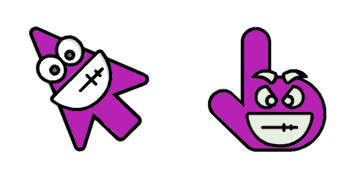
Boring cursor

Boring: soft cute Cursor im fertigen Custom Cursor Pack.

Try this cursor

Move across the preview to feel both cursor styles.

Boring cute cursor pack preview
Hover these
Auto · default + hover
806
Schauen Sie sich die Emoji Cursor Collection an, die eine Reihe von lustigen und spielerischen Cursoren für Ihren Webbrowser bietet. Ob Sie in der Stimmung für Herzen, Sterne oder lächelnde Gesichter sind, diese Kollektion hat etwas für jeden. Aber wenn Sie sich ein wenig unterdrückter fühlen, fürchten Sie sich nicht: Die Kollektion enthält auch eine Auswahl an niedrigeren Optionen wie einem einfachen schwarzen Cursor. Browse die Kollektion heute und füge deine Online-Navigation etwas Persönlichkeit hinzu!Die Kollektion Emoji enthält das Cursor-Paket Langeweile und viele weitere einzigartige Optionen zur Personalisierung Ihres Browsers.

You may also like

Explore other cursor packs from our collection

Letter Cursor-Paket

Letter Cursor-Paket

Free Letter custom cursor with a cute envelope buddy pointer and dark outline.

Ansehen
Umbrella Cursor-Paket

Umbrella Cursor-Paket

Free Umbrella custom cursor with a cute rain cover buddy pointer and dark outline.

Ansehen
Light Bulb Cursor-Paket

Light Bulb Cursor-Paket

Free Light Bulb custom cursor with a cute idea glow buddy pointer and dark outline.

Ansehen
Hourglass Cursor-Paket

Hourglass Cursor-Paket

Free Hourglass custom cursor with a cute sand time buddy pointer and dark outline.

Ansehen
Alarm Clock Cursor-Paket

Alarm Clock Cursor-Paket

Free Alarm Clock custom cursor with a cute ring clock buddy pointer and dark outline.

Ansehen
Thermometer Cursor-Paket

Thermometer Cursor-Paket

Free Thermometer custom cursor with a cute temp tube buddy pointer and dark outline.

Ansehen
Soap Cursor-Paket

Soap Cursor-Paket

Free Soap custom cursor with a cute bubble bar buddy pointer and dark outline.

Ansehen
Brain Cursor-Paket

Brain Cursor-Paket

Free Brain custom cursor with a cute think bubble buddy pointer and dark outline.

Ansehen

How to Install Boring

How to Install cursor Boring for Chrome

Boring preview

Boring

Boring: soft cute Cursor im fertigen Custom Cursor Pack.

  1. 1
    Go to Chrome Web Store

    Hit the 'Add to Browser' button to get the 'Boring' pack.

  2. 2
    Add the Extension

    On the Chrome Web Store, smash that ‘Add to Chrome’ button and confirm.

  3. 3
    Pin for Easy Access

    Pro-tip: Pin the 'Cute Cursors' extension to your toolbar for quick access.

  4. 4
    Activate Your Cursor

    Open the extension, find the 'Boring' pack, and click to activate. Easy peasy!

Piece of cake, right? Go on and have fun!

Didn't Find Your Vibe?

Our universe of cursors is huge. Dive into hundreds of unique collections and find the one that truly represents you.

Explore All Collections