Palmen cursor

Süßer Cursor Palmen - kostenloses Custom Cursor Set für den Desktop.

Try this cursor

Move across the preview to feel both cursor styles.

Palmen cute cursor pack preview
Hover these
Auto · default + hover
10
Der Palmon Cursor ist eine einzigartige und süße Ergänzung zur Browser-Erweiterung der Cursors Collection. Dieser Cursor verfügt über den geliebten Charakter Palmon aus der beliebten Anime-Serie, Digimon. Mit seiner hellen grünen Farbe und spielerischem Design, ist es sicher, die Herzen eines jeden Fans zu fangen. Der Palmon Cursor ist einfach zu installieren und fügt eine lustige Berührung zu jeder Surf-Erfahrung hinzu. Cursors Collection bietet eine Vielzahl von verschiedenen Cursor-Optionen zur Auswahl, so dass Sie Ihr Surf-Erlebnis genau nach Ihren Wünschen anpassen können.Wenn Ihnen dieses Paket gefällt, schauen Sie sich unbedingt die Kollektion Cursor Collection für neue Optionen an.

You may also like

Explore other cursor packs from our collection

Versuchung Cursor-Paket

Versuchung Cursor-Paket

Versuchung: soft cute Cursor im fertigen Custom Cursor Pack.

Ansehen
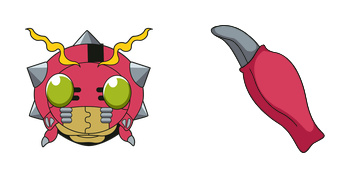
Schwester Takeuchi Cursor-Paket

Schwester Takeuchi Cursor-Paket

Schwester Takeuchi - Custom Cursor und cute Cursor für den Browser.
Ansehen
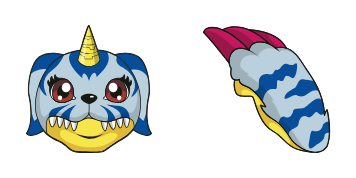
Gabumon Cursor-Paket

Gabumon Cursor-Paket

Gabumon: soft cute Cursor im fertigen Custom Cursor Pack.

Ansehen
Digimon Patamon & Crest of Hope Cursor-PaketA

Digimon Patamon & Crest of Hope Cursor-Paket

Download the Patamon and Crest of Hope cute cursor - a custom cursor with a cute Digimon look.

Ansehen
Digimon Orange Dragon Cursor-Paket

Digimon Orange Dragon Cursor-Paket

Digimon Orange Dragon cute cursor packs a tiny orange dragon arrow and a matching orange hand pointer.

Ansehen
Digimon Blue Wolf Cursor-Paket

Digimon Blue Wolf Cursor-Paket

Digimon Blue Wolf cute cursor brings a fluffy blue partner arrow and a matching blue paw pointer.

Ansehen
Digimon Flower Plant Cursor-Paket

Digimon Flower Plant Cursor-Paket

Digimon Flower Plant cute cursor packs a green leafy Digimon arrow and a matching plant hand pointer.

Ansehen
Palmon Sleepy Cursor-Paket

Palmon Sleepy Cursor-Paket

Palmon Sleepy cursor - dozing plant Digimon tip with a leafy Zzz pointing hand.

Ansehen

How to Install Palmen

How to Install cursor Palmen for Chrome

Palmen preview

Palmen

Süßer Cursor Palmen - kostenloses Custom Cursor Set für den Desktop.

  1. 1
    Go to Chrome Web Store

    Hit the 'Add to Browser' button to get the 'Palmen' pack.

  2. 2
    Add the Extension

    On the Chrome Web Store, smash that ‘Add to Chrome’ button and confirm.

  3. 3
    Pin for Easy Access

    Pro-tip: Pin the 'Cute Cursors' extension to your toolbar for quick access.

  4. 4
    Activate Your Cursor

    Open the extension, find the 'Palmen' pack, and click to activate. Easy peasy!

Piece of cake, right? Go on and have fun!

Didn't Find Your Vibe?

Our universe of cursors is huge. Dive into hundreds of unique collections and find the one that truly represents you.

Explore All Collections

Explore Related Topics