Google Chrome

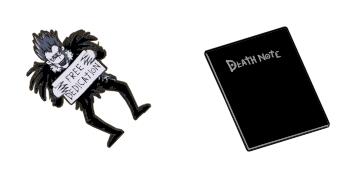
Death Note & Light Yagami custom cursor

Discover our "Death Note & Light Yagami" animated cursors - a stylish addition to your browser from the captivating Anime Cursor Collection!

✹ Move your mouse to test both cursors
Arrow Cursor

Default navigation pointer

Pointer Cursor

Used for clickable elements

Hover over each side to preview both cursor styles in real-time.

1,000+
For creating a customized, personalized mouse pointer in Windows 10/11 that resembles the character from popular media or series (e.g., “Death Note & Light Yagami”), you can follow these steps: Here's how to do it on both Chrome and Edge browser extensions: For Google Chrome and Microsoft Edge browsers, the process involves using a third-party extension that enables cursor customization; for Windows 10/11 users, the steps might be different as there isn't a dedicated native option. Let’s delve into how to do it in both scenarios. Google Chrome: For Google Chrome browser on PC or MacOS, you can use third-party extensions like Cursor++ (https://chrome.google.com/webstore/details/chromedeathnoteyagami). After installation and enabling the extension, navigate to its settings page, click on "Add New" under the "Customize your cursor's appearance using images or SVG files." Microsoft Edge: The Windows 10 version of Microsoft Edge does not currently support customization through extensions in a straightforward way like Chrome browser. However, users can change their system icons by installing additional software to modify it on the operating system level (Windows Registry). It is worth mentioning that this method requires administrative permissions and should be done with caution as it might void your warranty or violate terms of service if not done correctly. Edge: For Microsoft Edge browser, there's no direct way to change the cursor within the browser itself, however some third-party add-ons (like "Cursor Changer" by TinyUmbrella) can help you achieve this, but they require manual installation and may not be available for all operating systems. Windows 10/11: Unfortunately, Windows doesn't have a built-in option to change the system cursor like macOS does with its "Mouse Pointer" section in System Preferences. However, you can use third-party applications such as CursorFX (https://www.nirsoft.com/software/cursorchanger) or MyCursors (http://www.devilsorme.net/en/home/cursors/) to create and apply custom cursor icons including animated ones, which you can then set up with your system's settings file for a global change. Note that the use of third-party applications may require administrative privileges and some technical understanding on how to replace the default cursors in Windows 10/11 as well as potential risks such as security issues or voiding your warranty if not performed correctly. Always proceed with caution when modifying system settings like these! For a web-based solution, you can use websites like Cool Mouse Pads (https://www.cursors-4u.com/en) where they offer a variety of premade cursors or allow you to create your own. You can then download the custom cursor pack and simply drag and drop it in the "Cursors 4U" section on their site, and the website will generate an installer that automatically sets up all necessary system files for you. Remember: These changes typically require administrative rights, and some of these steps may vary depending on your system architecture and versioning. Always back up your settings or follow a guide from a reputable source when changing your operating system's cursor. Note that if you prefer to have Death Note & Light Yagami as your default system cursor instead of just your browser, you will need third-party software like CursorFX (http://www.nirsoft.com/software/cursorchanger). This tool not only allows changing the cursor on a per application basis but also sets it permanently for all applications if so desired. Furthermore, you can try "Yazici Cursors" which is available for both Mac and Windows OS (https://yazici-cursors.com/). It's an online tool allowing the creation of custom cursors by importing images or videos to generate a unique cursor design that could suit your preference. Once you have selected your custom cursor, save it in the proper .cur format which can be easily created with tools like Paint or Photoshop. Do note that changing system cursors might void warranties and has potential for errors if not done correctly - so proceed at your own risk. Also, some third-party websites may contain malware, ensure you download software only from trusted sources! Demon Slayer Kyojuro Rengoku Running Pixel: This cursor pack is a popular choice among users who are fans of the anime and manga series "Death Note". It consists of various themes including 'Kira', 'Lawliet's Coffee Break', 'Murderer Ryuk', and more. These cursors can be downloaded from our website, and then you have to set your new cursor as default through the cursor properties in Windows or by using a third-party software like "CursorFX". For Edge browser on PC/MacOS: The process is very similar to Chrome. Download an extension that allows customization of cursors from extensions stores, enable it and use its settings to change your cursor design into the desired Death Note & Light Yagami theme. Remember that most add-ons will require administrative privileges. For Windows desktop applications: Unfortunately, there is no direct method for altering system cursors on a per application basis in Microsoft Edge browser. You might want to resort to installing third party software or using the Windows' Registry Editor (regedit) - an advanced tool that allows you to modify various aspects of your operating system. This should be done with caution, as editing registry files can have unintended consequences if not executed correctly.

How to Install Death Note & Light Yagami cursors

How to Install cursor Death Note & Light Yagami for Chrome

Death Note & Light Yagami preview

Death Note & Light Yagami

Discover our "Death Note & Light Yagami" animated cursors - a stylish addition to your browser from the captivating Anime Cursor Collection!

  1. 1
    Go to Chrome Web Store

    Hit the 'Add to Browser' button to get the 'Death Note & Light Yagami' pack.

  2. 2
    Add the Extension

    On the Chrome Web Store, smash that ‘Add to Chrome’ button and confirm.

  3. 3
    Pin for Easy Access

    Pro-tip: Pin the 'Cute Cursors' extension to your toolbar for quick access.

  4. 4
    Activate Your Cursor

    Open the extension, find the 'Death Note & Light Yagami' pack, and click to activate. Easy peasy!

Piece of cake, right? Go on and have fun!

You may also like

Explore other cursor packs from our collection

Omen Cursor-Paket

Omen Cursor-Paket

Der Omen Cursor ist eine erstaunliche ErgĂ€nzung zur Cursors Collection. Es ist perfekt fĂŒr alle, die einen schlanken, modernen Cursor fĂŒr ihren Browser wollen. Mit seinem schwarzen und roten Farbschema strahlt er eine Luft der Aufregung und des Geheimnisses aus. Der Cursor ist einfach zu installieren und zu bedienen, und es gleitet reibungslos ĂŒber Ihren Bildschirm, wĂ€hrend Sie im Web surfen. Ob Sie an einem Projekt arbeiten, ein Video ansehen oder einfach nur im Netz surfen, dieser Cursor macht Ihr Surferlebnis sicherlich angenehmer und stilvoller.

Heldin Cursor-Paket

Heldin Cursor-Paket

EinfĂŒhrung des HERO-Cursors, einer atemberaubenden ErgĂ€nzung zur Browser-Erweiterung Cursors Collection. Dieser Cursor verfĂŒgt ĂŒber ein kĂŒhnes rotes und schwarzes Farbschema mit einem schlanken Design, das von Comic-Helden inspiriert wurde. Es ist der perfekte Cursor fĂŒr diejenigen, die sich beim Surfen im Web wie ein Held fĂŒhlen möchten. Ob Sie durch soziale Medien scrollen oder ein Thema fĂŒr die Arbeit recherchieren, der HERO-Cursor wird Ihrem Surferlebnis etwas Aufregung und Inspiration hinzufĂŒgen. Laden Sie die Cursorsors Collection heute herunter und probieren Sie den HERO-Cursor selbst aus!

1. Aufstieg der Pilze Cursor-Paket

1. Aufstieg der Pilze Cursor-Paket

Die Cursors Collection hat eine neue ErgĂ€nzung zu ihrer Reihe von Browser-Cursor-Optionen eingefĂŒhrt: den 1-Up Pilz-Cursor. Dieses lustige und funky-Cursor-Design ist perfekt fĂŒr Spieler und Fans der Mario-Franchise. Seine einzigartige Form und helle Farbschemata machen es einfach, auf jeder Webseite zu erkennen, und es fĂŒgt einen Hauch von Nostalgie zu Ihrem Browser-Erlebnis hinzu. ErhĂ€ltlich zum kostenlosen Download auf der Cursors Collection-Website, ist der 1-Up Pilz-Cursor ein Muss fĂŒr alle, die ihre Online-AktivitĂ€ten etwas Persönlichkeit hinzufĂŒgen wollen.

Black Clover Yuno Grinberryall & Sword Cursor-Paket

Black Clover Yuno Grinberryall & Sword Cursor-Paket

Step into an animated anime adventure with Black Clover Yuno Grinberryall & Sword cursors - perfect for browsers and Windows 10/11, bringing your digital world to life with captivating designs!

Anja Forger Cursor-Paket

Anja Forger Cursor-Paket

Der Anya Forger Cursor von der Cursors Collection ist eine einzigartige und stilvolle ErgĂ€nzung zu Ihrem Browser. Mit einem eleganten burgundischen und goldenen Design ist der Cursor perfekt fĂŒr alle, die ihrem Browser-Erlebnis einen Hauch von Raffinesse hinzufĂŒgen möchten. Der Cursor ist einfach zu installieren und kompatibel mit allen großen Browsern, so dass Sie ein verbessertes Browser-Erlebnis genießen können, egal wo Sie sind oder welches GerĂ€t Sie verwenden. Geben Sie Ihrem Browser ein Makeover mit dem Anya Forger Cursor von der Cursors Collection.

Dunkelheit Cursor-Paket

Dunkelheit Cursor-Paket

Der Darkness Cursor ist eine erstaunliche ErgĂ€nzung zu Ihrem Browser und ist aus der Cursors Collection erhĂ€ltlich. Dieser Cursor verfĂŒgt ĂŒber ein schlankes und minimalistisches Design mit einem schwarzen Hintergrund und leuchtenden weißen Linien. Der einzigartige Stil dieses Cursors wird Ihr Surferlebnis aufregender und angenehmer machen. Die Installation des Cursors ist einfach und kann in nur wenigen Klicks erfolgen. Sobald er installiert ist, wird Ihr Cursor transformiert, was Ihrem Computer ein stilvolles und modernes Aussehen verleiht. Laden Sie den Darkness Cursor heute herunter, um Ihr Surferlebnis zu aktualisieren.

Neytiri Cursor-Paket

Neytiri Cursor-Paket

Discover the 'Neytiri' custom mouse cursor pack from Cursors Collection - stylish and easy to install, designed for Windows 10/11 with a unique touch of Avatar-inspired sci-fi flair!

Howl’s Moving Castle Sophie & Calcifer Cursor-Paket

Howl’s Moving Castle Sophie & Calcifer Cursor-Paket

Dive into enchantment with our "Howl’s Moving Castle Sophie & Calcifer" custom cursors - aesthetic mouse pointers for browsers and Windows 10/11 from the Anime Cursor Collection!

Didn't Find Your Vibe?

Our universe of cursors is huge. Dive into hundreds of unique collections and find the one that truly represents you.

Explore All Collections