Google Chrome

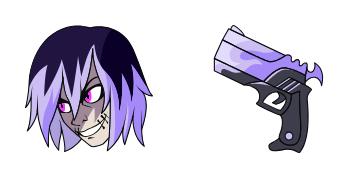
Mirage custom cursor

Mirage Cursor Pack mit cute Cursor Stil für Chrome, Edge und Windows.

✨ Move your mouse to test both cursors
Arrow Cursor

Default navigation pointer

Pointer Cursor

Used for clickable elements

Hover over each side to preview both cursor styles in real-time.

1,000+
Einführung des Mirage-Cursors, eine elegante Ergänzung zur Cursors-Kollektion. Entworfen, um nahtlos mit Ihrem Browser zu verschmelzen, ist dieser Cursor perfekt für diejenigen, die Einfachheit und Eleganz schätzen. Seine blassgraue Farbe ist leicht auf die Augen und seine glatte, Pfeil-ähnliche Form sorgt für Präzision beim Surfen im Web. Der Mirage-Cursor ist mit allen beliebten Browsern kompatibel, so dass Sie seine unterschätzte Schönheit genießen können, egal welche Sie verwenden. Aktualisieren Sie Ihre Browser-Erfahrung mit dem Mirage-Cursor heute.Die Kollektion Cursor Collection wird eine echte Inspirationsquelle für diejenigen, die ihre Benutzeroberfläche personalisieren möchten.

You may also like

Explore other cursor packs from our collection

Xull Cursor-Paket

Xull Cursor-Paket

Xull Cursor Pack mit cute Cursor Stil für Chrome, Edge und Windows.

Val Cursor-Paket

Val Cursor-Paket

Val: süßer Cursor und Custom Cursor Pack für Browser und Windows.

Koji Cursor-Paket

Koji Cursor-Paket

Koji: soft cute Cursor im fertigen Custom Cursor Pack.

Landry Cursor-Paket

Landry Cursor-Paket

Süßer Cursor Landry - kostenloses Custom Cursor Set für den Desktop.

Tatsache Cursor-Paket

Tatsache Cursor-Paket

Tatsache Custom Cursor Pack mit süßem Cursor für Fans des Themas.

gibt es Cursor-Paket

gibt es Cursor-Paket

Wähle gibt es - cute Cursor und Custom Cursor ohne Ballast.

Nix Cursor-Paket

Nix Cursor-Paket

Nix - Custom Cursor und cute Cursor für den Browser.

Hattori Cursor-Paket

Hattori Cursor-Paket

Wähle Hattori - cute Cursor und Custom Cursor ohne Ballast.

How to Install Mirage cursors

How to Install cursor Mirage for Chrome

Mirage preview

Mirage

Mirage Cursor Pack mit cute Cursor Stil für Chrome, Edge und Windows.

  1. 1
    Go to Chrome Web Store

    Hit the 'Add to Browser' button to get the 'Mirage' pack.

  2. 2
    Add the Extension

    On the Chrome Web Store, smash that ‘Add to Chrome’ button and confirm.

  3. 3
    Pin for Easy Access

    Pro-tip: Pin the 'Cute Cursors' extension to your toolbar for quick access.

  4. 4
    Activate Your Cursor

    Open the extension, find the 'Mirage' pack, and click to activate. Easy peasy!

Piece of cake, right? Go on and have fun!

Didn't Find Your Vibe?

Our universe of cursors is huge. Dive into hundreds of unique collections and find the one that truly represents you.

Explore All Collections
Mirage Cursor Pack - CuteCursors.com