
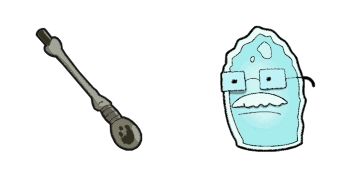
König sagt cursor

Süßer Cursor König sagt frischt Klicks auf - free Custom Cursor für den PC.

Try this cursor

Move across the preview to feel both cursor styles.

König sagt cute cursor pack preview
Hover these
Auto · default + hover
23
Suchen Sie nach einem einzigartigen und lustigen Cursor für Ihren Browser? Schauen Sie sich den King Dice Cursor aus unserer Cursors Collection an! Dieser lebendige und bunte Cursor verfügt über den Charakter, der als King Dice aus dem Hit-Videospiel Cuphead bekannt ist. Mit seinem schlanken Design fügt dieser Cursor sicherlich Ihrem Browser-Erlebnis einen Hauch spielerischer Persönlichkeit hinzu. Warum also sich für einen langweiligen Standard-Cursor entscheiden, wenn Sie den King Dice Cursor haben können? Laden Sie ihn heute herunter und machen Sie Ihr Surfen mehr Spaß!Die Kollektion Cursor Collection hilft Ihnen, noch mehr benutzerdefinierte Lösungen für Ihre Benutzeroberfläche zu finden.

You may also like

Explore other cursor packs from our collection

Cuphead Angel & Fishing Rod Cursor-PaketA

Cuphead Angel & Fishing Rod Cursor-Paket

Cuphead Angel and Fishing Rod custom cursor - a cute cursor pack with vintage animation energy.

Ansehen
Djimmi der Große Cursor-Paket

Djimmi der Große Cursor-Paket

Djimmi der Große: soft cute Cursor im fertigen Custom Cursor Pack.
Ansehen
Armut Cursor-Paket

Armut Cursor-Paket

Armut - Custom Cursor und cute Cursor für den Browser.

Ansehen
Hilda Berg Cursor-Paket

Hilda Berg Cursor-Paket

Probier Hilda Berg: süßes Cursor Pack und fertige Custom Cursors.

Ansehen
Rumor Honeybottoms Cursor-Paket

Rumor Honeybottoms Cursor-Paket

Rumor Honeybottoms custom cursor - a cute cursor pack with vintage animation energy.

Ansehen
Cala Maria Cursor-Paket

Cala Maria Cursor-Paket

Cala Maria - Custom Cursor und cute Cursor für den Browser.

Ansehen
Cuphead Dr. Kahl & Robot Cursor-PaketA

Cuphead Dr. Kahl & Robot Cursor-Paket

Cuphead Dr. Kahl and Robot custom cursor - a cute cursor pack with vintage animation energy.

Ansehen
Cuphead Werner Werma & Cannon Cursor-PaketA

Cuphead Werner Werma & Cannon Cursor-Paket

Try the Cuphead Werner Werma and Cannon cute cursor - free custom cursor style with a lively Inkwell-inspired pointer.

Ansehen

How to Install König sagt

How to Install cursor König sagt for Chrome

König sagt preview

König sagt

Süßer Cursor König sagt frischt Klicks auf - free Custom Cursor für den PC.

  1. 1
    Go to Chrome Web Store

    Hit the 'Add to Browser' button to get the 'König sagt' pack.

  2. 2
    Add the Extension

    On the Chrome Web Store, smash that ‘Add to Chrome’ button and confirm.

  3. 3
    Pin for Easy Access

    Pro-tip: Pin the 'Cute Cursors' extension to your toolbar for quick access.

  4. 4
    Activate Your Cursor

    Open the extension, find the 'König sagt' pack, and click to activate. Easy peasy!

Piece of cake, right? Go on and have fun!

Didn't Find Your Vibe?

Our universe of cursors is huge. Dive into hundreds of unique collections and find the one that truly represents you.

Explore All Collections