

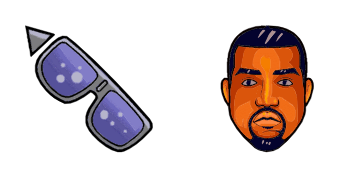
von Kanye West Cursor-Paket
Wähle von Kanye West - cute Cursor und Custom Cursor ohne Ballast.
Süßer Cursor Drake frischt Klicks auf - free Custom Cursor für den PC.
Try this cursor
Move across the preview to feel both cursor styles.

Explore other cursor packs from our collection
Wähle von Kanye West - cute Cursor und Custom Cursor ohne Ballast.

Süßer Cursor von Katy Perry frischt Klicks auf - free Custom Cursor für den PC.

Wähle von Kendrick Lamar - cute Cursor und Custom Cursor ohne Ballast.

von Lil Peep Cursor Pack mit cute Cursor Stil für Chrome, Edge und Windows.

Süßer Cursor von Lil Wayne - kostenloses Custom Cursor Set für den Desktop.

Süßer Cursor Logik frischt Klicks auf - free Custom Cursor für den PC.

Wähle von Marilyn Monroe - cute Cursor und Custom Cursor ohne Ballast.

MF Doom - Custom Cursor und cute Cursor für den Browser.

Süßer Cursor Drake frischt Klicks auf - free Custom Cursor für den PC.
Hit the 'Add to Browser' button to get the 'Drake' pack.
On the Chrome Web Store, smash that ‘Add to Chrome’ button and confirm.
Pro-tip: Pin the 'Cute Cursors' extension to your toolbar for quick access.
Open the extension, find the 'Drake' pack, and click to activate. Easy peasy!
Our universe of cursors is huge. Dive into hundreds of unique collections and find the one that truly represents you.
Explore All Collections
Jetzt im offiziellen Chrome Web Store installieren
Idle
{
  "status": "idle"
}