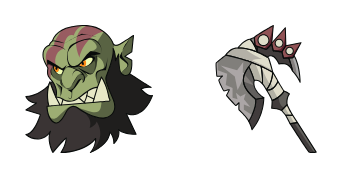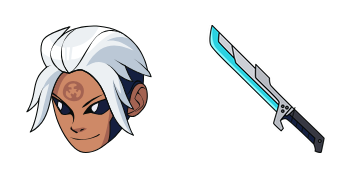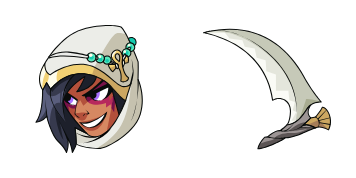
Nix cursor

Nix - Custom Cursor und cute Cursor für den Browser.

Try this cursor

Move across the preview to feel both cursor styles.

Nix cute cursor pack preview
Hover these
Auto · default + hover
14
Der Nix Cursor von Cursors Collection ist eine elegante und moderne Ergänzung zu jeder Web-Browser-Erfahrung. Mit seinem einfachen, aber anspruchsvollen Design passt er nahtlos zu jeder Website oder Anwendung. Der Cursor verfügt über eine dunkelgraue kreisförmige Form mit einem kühnen weißen Pfeil in der Mitte, der eine klare und einfache Navigation für Benutzer bietet. Es ist sowohl ästhetisch angenehm als auch funktional, was ihn zu einer großartigen Wahl für diejenigen macht, die Stil und Benutzerfreundlichkeit in ihrem Web-Browsing schätzen.Die Kollektion Cursor Collection bietet einzigartige Cursor-Pakete, darunter dieses, um Ihre Benutzeroberfläche besonders zu gestalten.

You may also like

Explore other cursor packs from our collection

Val Cursor-Paket

Val Cursor-Paket

Val: süßer Cursor und Custom Cursor Pack für Browser und Windows.
Ansehen
gibt es Cursor-Paket

gibt es Cursor-Paket

Wähle gibt es - cute Cursor und Custom Cursor ohne Ballast.

Ansehen
Landry Cursor-Paket

Landry Cursor-Paket

Süßer Cursor Landry - kostenloses Custom Cursor Set für den Desktop.

Ansehen
Brawlhalla Orange Hero Cursor-Paket

Brawlhalla Orange Hero Cursor-Paket

Meet the Orange Hero cute cursor - free custom cursor ready for every click.

Ansehen
Brawlhalla Star Witch Cursor-Paket

Brawlhalla Star Witch Cursor-Paket

Star Witch cute cursor for fans - free custom cursor with arena brawl charm.

Ansehen
Brawlhalla Forest Elf Cursor-Paket

Brawlhalla Forest Elf Cursor-Paket

Forest Elf cute cursor pack: free custom cursors with arena brawl style.

Ansehen
Brawlhalla Cat Fighter Cursor-Paket

Brawlhalla Cat Fighter Cursor-Paket

Grab the Cat Fighter cute cursor - a free custom cursor pack for Brawlhalla fans.

Ansehen
Brawlhalla Red Warrior Cursor-Paket

Brawlhalla Red Warrior Cursor-Paket

Drop the Red Warrior cute cursor - a free custom cursor for your desktop.

Ansehen

How to Install Nix

How to Install cursor Nix for Chrome

Nix preview

Nix

Nix - Custom Cursor und cute Cursor für den Browser.

  1. 1
    Go to Chrome Web Store

    Hit the 'Add to Browser' button to get the 'Nix' pack.

  2. 2
    Add the Extension

    On the Chrome Web Store, smash that ‘Add to Chrome’ button and confirm.

  3. 3
    Pin for Easy Access

    Pro-tip: Pin the 'Cute Cursors' extension to your toolbar for quick access.

  4. 4
    Activate Your Cursor

    Open the extension, find the 'Nix' pack, and click to activate. Easy peasy!

Piece of cake, right? Go on and have fun!

Didn't Find Your Vibe?

Our universe of cursors is huge. Dive into hundreds of unique collections and find the one that truly represents you.

Explore All Collections