
Penny cursor

Süßer Cursor Penny - kostenloses Custom Cursor Set für den Desktop.

Try this cursor

Move across the preview to feel both cursor styles.

Penny cute cursor pack preview
Hover these
Auto · default + hover
155
Der Penny Cursor ist eine lebendige Ergänzung zur Brawl Stars Cursor Collection, die die Signaturfarben und -grafiken des Spiels in Ihren Browser bringt. Der Cursor bietet Penny, einen Piraten-Brawler mit einem Kanon, der Silbermünzen schießt, in ihrer Signatur-Pose. Die helle rosa Farbe und das spielerische Design des Cursors erfassen perfekt den Spaß und den energischen Geist des Spiels. Mit seiner glatten Animation und präzisen Bewegung wird der Penny Cursor sicherlich Ihr Surferlebnis beleben und Ihre Liebe zu Brawl Stars zeigen.Die Kollektion Brawl Stars enthält dieses Cursor-Paket und viele weitere einzigartige Optionen zur Personalisierung Ihres Desktops oder Browsers.

You may also like

Explore other cursor packs from our collection

Bo Cursor-Paket

Bo Cursor-Paket

Wähle Bo - cute Cursor und Custom Cursor ohne Ballast.

Ansehen
Das Brawl Stars Logo Cursor-Paket

Das Brawl Stars Logo Cursor-Paket

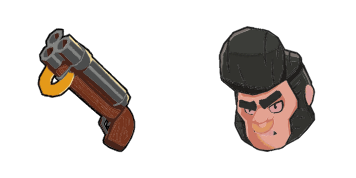
Das Brawl Stars Logo Cursor Pack mit cute Cursor Stil für Chrome, Edge und Windows.
Ansehen
Bull Cursor-Paket

Bull Cursor-Paket

Bull - Custom Cursor und cute Cursor für den Browser.

Ansehen
Dynamik Cursor-Paket

Dynamik Cursor-Paket

Wähle Dynamik - cute Cursor und Custom Cursor ohne Ballast.

Ansehen
Der Primo Cursor-Paket

Der Primo Cursor-Paket

Wähle Der Primo - cute Cursor und Custom Cursor ohne Ballast.

Ansehen
Frank Cursor-Paket

Frank Cursor-Paket

Süßer Cursor Frank - kostenloses Custom Cursor Set für den Desktop.

Ansehen
Mortis Cursor-Paket

Mortis Cursor-Paket

Mortis - Custom Cursor und cute Cursor für den Browser.

Ansehen
Nita Cursor-Paket

Nita Cursor-Paket

Süßer Cursor Nita - kostenloses Custom Cursor Set für den Desktop.

Ansehen

How to Install Penny

How to Install cursor Penny for Chrome

Penny preview

Penny

Süßer Cursor Penny - kostenloses Custom Cursor Set für den Desktop.

  1. 1
    Go to Chrome Web Store

    Hit the 'Add to Browser' button to get the 'Penny' pack.

  2. 2
    Add the Extension

    On the Chrome Web Store, smash that ‘Add to Chrome’ button and confirm.

  3. 3
    Pin for Easy Access

    Pro-tip: Pin the 'Cute Cursors' extension to your toolbar for quick access.

  4. 4
    Activate Your Cursor

    Open the extension, find the 'Penny' pack, and click to activate. Easy peasy!

Piece of cake, right? Go on and have fun!

Didn't Find Your Vibe?

Our universe of cursors is huge. Dive into hundreds of unique collections and find the one that truly represents you.

Explore All Collections