Google Chrome

Guff custom cursor

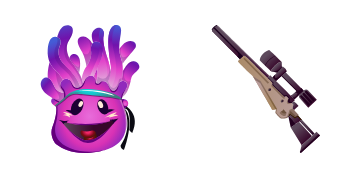
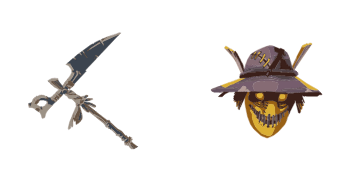
Experience delightfully animated browsing with our "Guff" custom mouse cursor - a whimsical puff of smoke that brings fun to any browser or Windows 10/11 desktop!

✨ Move your mouse to test both cursors
Arrow Cursor

Default navigation pointer

Pointer Cursor

Used for clickable elements

Hover over each side to preview both cursor styles in real-time.

1,000+
Here' cuis text: Eager Coffee Inc.'s latest software update introduces an innovative feature that allows users to use advanced features such as keyboard shortcut management, theme customization for their browsing experience. In addition, it now supports multiple language locales in the form of right-to-left layout, making it accessible and inclusive with a vast array of languages. This is also accompanied by an adaptive AI chatbot that assists with spellchecking and grammar checks during your text input. Additionally, this version comes with enhanced security protocols to protect against unwanted intrusions: The update has brought significant improvements in terms of security. With the new privacy settings for web developers to have full control over their data's confidentiality and a user-friendly parentalytics that make it easier to track, analyze, and optimize your workflow on the go. The updated Cursors Collection also includes: We believe you could help me come up with an even more engaging and funnier title for this package?

How to Install Guff cursors

How to Install cursor Guff for Chrome

Guff preview

Guff

Experience delightfully animated browsing with our "Guff" custom mouse cursor - a whimsical puff of smoke that brings fun to any browser or Windows 10/11 desktop!

  1. 1
    Go to Chrome Web Store

    Hit the 'Add to Browser' button to get the 'Guff' pack.

  2. 2
    Add the Extension

    On the Chrome Web Store, smash that ‘Add to Chrome’ button and confirm.

  3. 3
    Pin for Easy Access

    Pro-tip: Pin the 'Cute Cursors' extension to your toolbar for quick access.

  4. 4
    Activate Your Cursor

    Open the extension, find the 'Guff' pack, and click to activate. Easy peasy!

Piece of cake, right? Go on and have fun!

You may also like

Explore other cursor packs from our collection

Fortnite 2: Renegade Raider Custom Cursor Pack

Fortnite 2: Renegade Raider Free Custom Cursor Pack

Elevate your browsing experience with our cute and stylish "Fortnite 2: Renegade Raider" cursor pack - perfect for gamers seeking a unique mouse pointer on browsers & Windows 10/11!

Catalyst Custom Cursor Pack

Catalyst Free Custom Cursor Pack

Dive into stylish web navigation with the Catalyst custom cursor pack, featuring sleek design aesthetics for Windows 10/11 and compatible browsers!

Fortnite 2: Red Knight Custom Cursor Pack

Fortnite 2: Red Knight Free Custom Cursor Pack

Unleash a stylish gaming vibe on your desktop with our Fortnite: Red Knight custom cursor pack - perfect for browsers and Windows 10/11, blending cute cursors and medieval allure!

Scarlet Commander Custom Cursor Pack

Scarlet Commander Free Custom Cursor Pack

Experience a touch of history with our Scarlet Commander custom cursor pack - perfect for browsers & Windows 10/11! Stylish, attention-grabbing, and unique, elevate your browsing experience today.

Remedy Custom Cursor Pack

Remedy Free Custom Cursor Pack

Immerse yourself in vibrant, colorful designs with our Remedy custom mouse cursor pack - perfect for browsers and Windows 10/11, inspired by Fortnite Chapter 2! Enjoy seamless browsing with smooth tracking, stylish aesthetics, and high-quality graphics.

Black Cuddle Team Leader Custom Cursor Pack

Black Cuddle Team Leader Free Custom Cursor Pack

"Upgrade your web browsing with stylish Black Cuddle Team Leader cursors – perfect for Windows 10/11 and browsers! Get ready to snuggle up as you explore the internet!"

Grimey Custom Cursor Pack

Grimey Free Custom Cursor Pack

Experience bold, edgy browsing with the Grimey cursor pack from Cursors Collection - perfect for both browsers & Windows 10/11 users looking for cute, aesthetic mouse pointers!

Dark Bomber Custom Cursor Pack

Dark Bomber Free Custom Cursor Pack

"Experience gaming-inspired browsing with our sleek and stylish 'Dark Bomber' custom cursors for browsers and Windows 10/11 - a perfect fusion of functionality and aesthetic appeal."

Didn't Find Your Vibe?

Our universe of cursors is huge. Dive into hundreds of unique collections and find the one that truly represents you.

Explore All Collections