


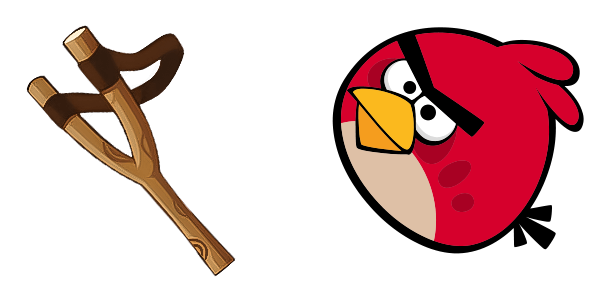
Курсор пак Чак
Добавь Чак к мыши - cute cursor и кастомный курсор бесплатно.
Скачай Король Свиньи: cute cursor и кастомный курсор для ежедневных кликов.
Try this cursor
Move across the preview to feel both cursor styles.

Customize your embed code and preview it in real time below.
Live preview
<style type="text/css">
body {
  cursor: url(https://cdn.cutecursors.com/db/king_pig_cursor/arrow.png) 4 4, auto;
}
a, button, .clickable {
  cursor: url(https://cdn.cutecursors.com/db/king_pig_cursor/hand.png) 4 4, pointer;
}
</style>
<a href="https://cutecursors.com//category/angry-birds/king-pig-cursor" title="Get free Король Свиньи cursors for your website.">
  Король Свиньи Cursors
</a>/* components/CuteCursor.jsx */
"use client";
import { useEffect } from "react";
const CURSOR = "https://cdn.cutecursors.com/db/king_pig_cursor/arrow.png";
const POINTER = "https://cdn.cutecursors.com/db/king_pig_cursor/hand.png";
export default function CuteCursor() {
useEffect(() => {
const style = document.createElement("style");
style.innerHTML = `
body { cursor: url(${CURSOR}) 4 4, auto; }
a, button, .clickable { cursor: url(${POINTER}) 4 4, pointer; }
`;
document.head.appendChild(style);
return () => style.remove();
}, []);
return null;
}
/* Usage: render <CuteCursor /> once, e.g. in your root layout or App:
<CuteCursor />
Король Свиньи cursors by https://cutecursors.com//category/angry-birds/king-pig-cursor */-- Король Свиньи custom cursor for Roblox
-- LocalScript (place it in StarterPlayer > StarterPlayerScripts)
--
-- 1) Download the cursor images (buttons above) or grab them here:
-- Cursor: https://cdn.cutecursors.com/db/king_pig_cursor/arrow.png
-- Pointer: https://cdn.cutecursors.com/db/king_pig_cursor/hand.png
-- 2) Upload them in Roblox Creator Hub as Decals (Create > Decals).
-- 3) Replace the IDs below with your uploaded Image asset IDs.
local UserInputService = game:GetService("UserInputService")
local Players = game:GetService("Players")
local CURSOR_ICON = "rbxassetid://CURSOR_ASSET_ID"
local POINTER_ICON = "rbxassetid://POINTER_ASSET_ID"
-- Set the default cursor
UserInputService.MouseIcon = CURSOR_ICON
-- Optional: switch to the pointer icon while hovering GUI buttons
local function hookButton(button)
button.MouseEnter:Connect(function()
UserInputService.MouseIcon = POINTER_ICON
end)
button.MouseLeave:Connect(function()
UserInputService.MouseIcon = CURSOR_ICON
end)
end
local playerGui = Players.LocalPlayer:WaitForChild("PlayerGui")
for _, gui in ipairs(playerGui:GetDescendants()) do
if gui:IsA("GuiButton") then
hookButton(gui)
end
end
playerGui.DescendantAdded:Connect(function(gui)
if gui:IsA("GuiButton") then
hookButton(gui)
end
end)
-- Король Свиньи cursors: https://cutecursors.com//category/angry-birds/king-pig-cursor
Скачай Король Свиньи: cute cursor и кастомный курсор для ежедневных кликов.
Hit the 'Add to Browser' button to get the 'Король Свиньи' pack.
On the Chrome Web Store, smash that ‘Add to Chrome’ button and confirm.
Pro-tip: Pin the 'Cute Cursors' extension to your toolbar for quick access.
Open the extension, find the 'Король Свиньи' pack, and click to activate. Easy peasy!
Explore other cursor packs from our collection
Добавь Чак к мыши - cute cursor и кастомный курсор бесплатно.
Выбери Angry Birds - cute cursor и кастомный курсор без лишнего шума.

Скачай Angry Birds Теренс: cute cursor и кастомный курсор для ежедневных кликов.
 A
AМилый курсор Angry Birds Leonard & Crown - бесплатный кастомный курсор для рабочего стола.

Милый курсор Бешеные птицы The Blues - бесплатный кастомный курсор для рабочего стола.
 A
AМилый курсор Angry Birds Hal в анимации - бесплатный кастомный курсор для рабочего стола.
 A
AAngry Birds Stella анимация: soft cute cursor в удобном кастомном курсор-паке.
 A
AAngry Birds Bubbles анимация курсоры: милый курсор и кастомный курсор в одном сете.
Our universe of cursors is huge. Dive into hundreds of unique collections and find the one that truly represents you.
Explore All Collections
Установите его бесплатно прямо сейчас из официального Chrome Web Store
Idle
{
  "status": "idle"
}