Download Chrome extension

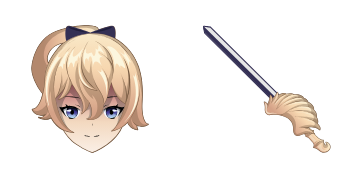
Саи cursor

Попробуй Саи: милый курсор пак и готовые custom cursors.

Try this cursor

Move across the preview to feel both cursor styles.

Саи cute cursor pack preview
Hover these
Auto · default + hover
82
Sayu курсор - это красивый анимационный курсор из коллекции Cursors. В нем есть милый персонаж по имени Sayu с телятыми волосами и розовым нарядом. По мере того, как курсор движется по экрану, Sayu прыгает и волнует руками в восторге. Этот курсор идеально подходит для добавления прикосновения и веселья к вашему опыту просмотра. Установка проста и может быть сделана всего за несколько шагов. Просто скачайте курсор и следуйте инструкциям. Добавьте немного личности к своему браузеру с Sayu курсором.Если вам нравится этот курсор пак, найдите еще больше интересных вариантов в коллекции Genshin Impact.

You may also like

Explore other cursor packs from our collection

Пакет курсоров Genshin Slime

Курсор пак Genshin Slime

Genshin Slime cursor - free custom cursor with a matching anemo swirl pointer.

Открыть
Пакет курсоров Genshin Mouse

Курсор пак Genshin Mouse

Genshin Mouse cursor - cute custom cursor with a Element Orb pointer.

Открыть
Пакет курсоров Genshin Anemo Slime

Курсор пак Genshin Anemo Slime

Genshin Anemo Slime cursor - cute custom cursor with a Leaf Wind pointer.

Открыть
Пакет курсоров Genshin Fairy Guide

Курсор пак Genshin Fairy Guide

Genshin Fairy Guide cursor - cute custom cursor with a Emergency Food pointer.

Открыть
Пакет курсоров Genshin Vision

Курсор пак Genshin Vision

Genshin Vision cursor - cute custom cursor with a Mora Coin pointer.

Открыть
Пакет курсоров Genshin Sword

Курсор пак Genshin Sword

Genshin Sword cursor - cute custom cursor with a Wishing Star pointer.

Открыть
Пакет курсоров Genshin Adeptus

Курсор пак Genshin Adeptus

Genshin Adeptus cursor - cute custom cursor with a Cloud Sigil pointer.

Открыть
Пакет курсоров Genshin Pyro Slime

Курсор пак Genshin Pyro Slime

Genshin Pyro Slime cursor - cute custom cursor with a Flame Spark pointer.

Открыть

How to Install Саи

How to Install cursor Саи for Chrome

Саи preview

Саи

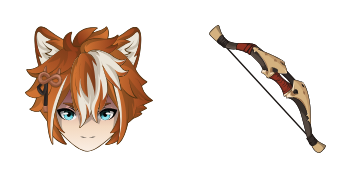
Попробуй Саи: милый курсор пак и готовые custom cursors.
  1. 1
    Go to Chrome Web Store

    Hit the 'Add to Browser' button to get the 'Саи' pack.

  2. 2
    Add the Extension

    On the Chrome Web Store, smash that ‘Add to Chrome’ button and confirm.

  3. 3
    Pin for Easy Access

    Pro-tip: Pin the 'Cute Cursors' extension to your toolbar for quick access.

  4. 4
    Activate Your Cursor

    Open the extension, find the 'Саи' pack, and click to activate. Easy peasy!

Piece of cake, right? Go on and have fun!

Didn't Find Your Vibe?

Our universe of cursors is huge. Dive into hundreds of unique collections and find the one that truly represents you.

Explore All Collections