Download Chrome extension

Кайя cursor

Милый курсор Кайя - бесплатный кастомный курсор для рабочего стола.

Try this cursor

Move across the preview to feel both cursor styles.

Кайя cute cursor pack preview
Hover these
Auto · default + hover
86
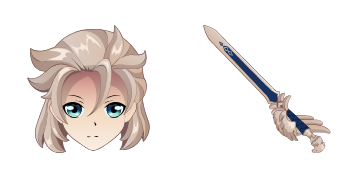
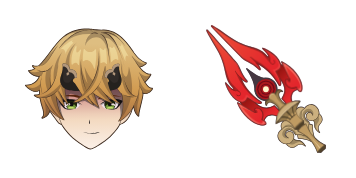
Курсор Kaeya из Cursors Collection является прекрасным дополнением к любому браузеру. Вдохновленный популярным персонажем из Genshin Impact, он имеет анимационный дизайн, в котором Kaeya грациозно вращает свой меч. Курсор сохраняет свою функциональность, показывая крутую эстетику, что делает его идеальным для геймеров, энтузиастов аниме или любого, кто хочет добавить немного стиля к своему просмотру. Он легко загружается и устанавливается, и совместим с большинством браузеров. Дайте курсору новый вид с курсором Kaeya из Cursorsorsors Collection.Проверьте коллекцию Genshin Impact, где есть этот пак Кайя и много других.

You may also like

Explore other cursor packs from our collection

Пакет курсоров Genshin Slime

Курсор пак Genshin Slime

Genshin Slime cursor - free custom cursor with a matching anemo swirl pointer.

Открыть
Пакет курсоров Genshin Mouse

Курсор пак Genshin Mouse

Genshin Mouse cursor - cute custom cursor with a Element Orb pointer.

Открыть
Пакет курсоров Genshin Anemo Slime

Курсор пак Genshin Anemo Slime

Genshin Anemo Slime cursor - cute custom cursor with a Leaf Wind pointer.

Открыть
Пакет курсоров Genshin Fairy Guide

Курсор пак Genshin Fairy Guide

Genshin Fairy Guide cursor - cute custom cursor with a Emergency Food pointer.

Открыть
Пакет курсоров Genshin Vision

Курсор пак Genshin Vision

Genshin Vision cursor - cute custom cursor with a Mora Coin pointer.

Открыть
Пакет курсоров Genshin Sword

Курсор пак Genshin Sword

Genshin Sword cursor - cute custom cursor with a Wishing Star pointer.

Открыть
Пакет курсоров Genshin Adeptus

Курсор пак Genshin Adeptus

Genshin Adeptus cursor - cute custom cursor with a Cloud Sigil pointer.

Открыть
Пакет курсоров Genshin Pyro Slime

Курсор пак Genshin Pyro Slime

Genshin Pyro Slime cursor - cute custom cursor with a Flame Spark pointer.

Открыть

How to Install Кайя

How to Install cursor Кайя for Chrome

Кайя preview

Кайя

Милый курсор Кайя - бесплатный кастомный курсор для рабочего стола.

  1. 1
    Go to Chrome Web Store

    Hit the 'Add to Browser' button to get the 'Кайя' pack.

  2. 2
    Add the Extension

    On the Chrome Web Store, smash that ‘Add to Chrome’ button and confirm.

  3. 3
    Pin for Easy Access

    Pro-tip: Pin the 'Cute Cursors' extension to your toolbar for quick access.

  4. 4
    Activate Your Cursor

    Open the extension, find the 'Кайя' pack, and click to activate. Easy peasy!

Piece of cake, right? Go on and have fun!

Didn't Find Your Vibe?

Our universe of cursors is huge. Dive into hundreds of unique collections and find the one that truly represents you.

Explore All Collections
Кайя cursor - cutecursors.com