


Курсор пак Диона
Диона - милый курсор пак и кастомный курсор для браузера и Windows.
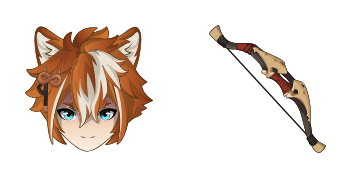
Genshin Impact Mavuika and a Thousand Blazing Suns Sword cursor - free dark outline character custom cursor....
Try this cursor
Move across the preview to feel both cursor styles.

Bring Genshin Impact Mavuika and a Thousand Blazing Suns Sword energy to every click - soft dark-outline character art plus a matching Blazing Suns Sword hover hand. The Genshin Impact Mavuika and a Thousand Blazing Suns Sword cute cursor is a free custom cursor for Chrome and Edge, and it also works on Windows 10/11 through the Custom Cursor app.
Unofficial fan art only - not affiliated with the original rights holders. Soft darkened rim, no white sticker border. It is fan-made cursor art with no official affiliation.
Install the free Genshin Impact Mavuika and a Thousand Blazing Suns Sword custom cursor for Chrome and Edge, or on Windows 10/11 with the Custom Cursor app.
Explore other cursor packs from our collection
Диона - милый курсор пак и кастомный курсор для браузера и Windows.

Милый курсор ЭУЛА освежит клики - free custom cursor для ПК.

Попробуй выиграть: милый курсор пак и готовые custom cursors.
Выбери Горького - cute cursor и кастомный курсор без лишнего шума.

Попробуй Жан: милый курсор пак и готовые custom cursors.

Камиато Аяка custom cursor пак с милым курсором для фанатов темы.

Милый курсор Камиато Аято освежит клики - free custom cursor для ПК.

Милый курсор Казуха освежит клики - free custom cursor для ПК.

Genshin Impact Mavuika and a Thousand Blazing Suns Sword cursor - free dark outline character custom cursor....
Hit the 'Add to Browser' button to get the 'Genshin Impact Mavuika and a Thousand Blazing Suns Sword' pack.
On the Chrome Web Store, smash that ‘Add to Chrome’ button and confirm.
Pro-tip: Pin the 'Cute Cursors' extension to your toolbar for quick access.
Open the extension, find the 'Genshin Impact Mavuika and a Thousand Blazing Suns Sword' pack, and click to activate. Easy peasy!
Our universe of cursors is huge. Dive into hundreds of unique collections and find the one that truly represents you.
Explore All Collections
Установите его бесплатно прямо сейчас из официального Chrome Web Store
Idle
{
  "status": "idle"
}