


Курсор пак Бернадетт
Попробуй Бернадетт: милый курсор пак и готовые custom cursors.
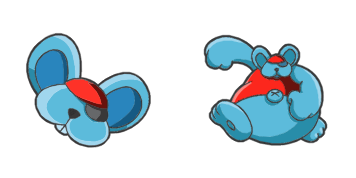
Hot Dog cursor - bright 3D Cuphead-style buddy with a Hot Dog Bun Cuff.
Try this cursor
Move across the preview to feel both cursor styles.

Inkwell Isle style for Hot Dog: vivid cel-shaded buddy art and a distinct Hot Dog Bun Cuff hover hand. The Hot Dog cute cursor is a free custom cursor for Chrome and Edge, and it also works on Windows 10/11 through the Custom Cursor app.
Unofficial Cuphead / Delicious Last Course inspired fan art only - not affiliated with Studio MDHR. Soft darkened rim, no white sticker border. It is fan-made cursor art with no official affiliation.
Install the free Hot Dog custom cursor for Chrome and Edge, or on Windows 10/11 with the Custom Cursor app.
Explore other cursor packs from our collection
Попробуй Бернадетт: милый курсор пак и готовые custom cursors.
Выбери Коннор - cute cursor и кастомный курсор без лишнего шума.
Темный Крефтер курсоры: милый курсор и кастомный курсор в одном сете.
Темная вещь - милый курсор пак и кастомный курсор для браузера и Windows.

Джессика курсор пак с милым курсором для Chrome, Edge и Windows.
Роза: soft cute cursor в удобном кастомном курсор-паке.
Добавь СТОРО к мыши - cute cursor и кастомный курсор бесплатно.

Poki cute cursor - free custom cursor with sticker vibes.

Hot Dog cursor - bright 3D Cuphead-style buddy with a Hot Dog Bun Cuff.
Hit the 'Add to Browser' button to get the 'Hot Dog' pack.
On the Chrome Web Store, smash that ‘Add to Chrome’ button and confirm.
Pro-tip: Pin the 'Cute Cursors' extension to your toolbar for quick access.
Open the extension, find the 'Hot Dog' pack, and click to activate. Easy peasy!
Our universe of cursors is huge. Dive into hundreds of unique collections and find the one that truly represents you.
Explore All Collections
Idle
{
  "status": "idle"
}