


Курсор пак Уругвай
Милый курсор Уругвай освежит клики - free custom cursor для ПК.
Meet the Teal Star Flag cute cursor - free custom cursor ready for every click.
Try this cursor
Move across the preview to feel both cursor styles.

Carry continent pride with Teal Star Flag - a free cute cursor that keeps stripes and stars close. Use this free custom cursor in Chrome and Edge, and on Windows 10/11 via Custom Cursor for a matching pointer on the desktop.
Soft outlines help Teal Star Flag stay sharp while you scroll and click. Fan-made artwork celebrating Americas flag style - not an official national flags merchandise set.
Pair it with the Blue Green Stars Cursor Pack, the Red Jagged Flag Cursor Pack, and the Canada Cute Cursor Pack.
Get Teal Star Flag and keep a sharp striped pointer close at hand.
Explore other cursor packs from our collection
Милый курсор Уругвай освежит клики - free custom cursor для ПК.

Попробуй Чили: милый курсор пак и готовые custom cursors.

Аргентина - милый курсор пак и кастомный курсор для браузера и Windows.
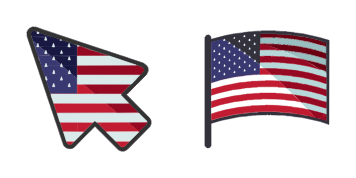
Милый курсор Америка освежит клики - free custom cursor для ПК.

Скачай Аргентина: cute cursor и кастомный курсор для ежедневных кликов.

Милый курсор Бразилия - бесплатный кастомный курсор для рабочего стола.

Попробуй Канада: милый курсор пак и готовые custom cursors.
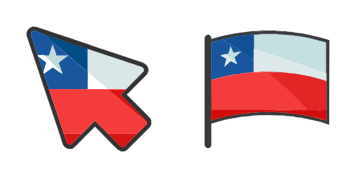
Чили: soft cute cursor в удобном кастомном курсор-паке.

Meet the Teal Star Flag cute cursor - free custom cursor ready for every click.
Hit the 'Add to Browser' button to get the 'Teal Star Flag' pack.
On the Chrome Web Store, smash that ‘Add to Chrome’ button and confirm.
Pro-tip: Pin the 'Cute Cursors' extension to your toolbar for quick access.
Open the extension, find the 'Teal Star Flag' pack, and click to activate. Easy peasy!
Our universe of cursors is huge. Dive into hundreds of unique collections and find the one that truly represents you.
Explore All Collections
Idle
{
  "status": "idle"
}