Download Chrome extension

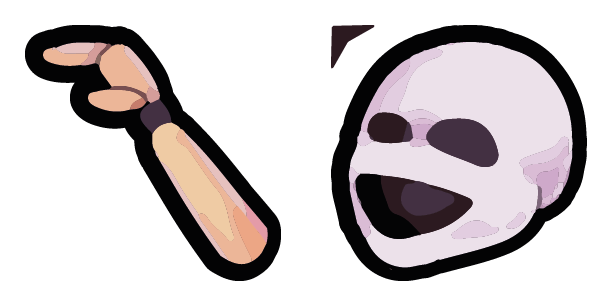
Ennard cursor

Милый курсор Ennard - бесплатный кастомный курсор для рабочего стола.

Try this cursor

Move across the preview to feel both cursor styles.

Ennard cute cursor pack preview
Hover these
Auto · default + hover
113
Выделиться с этим веселым и ярким Ennard Five Nights на пользовательском курсоре Freddy! Идеально подходит для поклонников популярной игровой франшизы, этот милый курсор сделает ваш опыт просмотра еще более приятным. Просто добавьте расширение CM Cursor в свой браузер Chrome, чтобы принести этот забавный Ennard курсор к жизни. Приготовьтесь добавить ощущение волнения к вашей повседневной деятельности в Интернете!Если вам понравился курсор пак 5 ночей в Freddy's, коллекция Five Nights at Freddy предлагает еще больше интересных вариантов.

You may also like

Explore other cursor packs from our collection

Пакет курсоров Бидебаб

Курсор пак Бидебаб

Бидебаб: soft cute cursor в удобном кастомном курсор-паке.

Открыть
Пакет курсоров Minireena

Курсор пак Minireena

Выбери Minireena - cute cursor и кастомный курсор без лишнего шума.

Открыть
Пакет курсоров Баллора

Курсор пак Баллора

Милый курсор Баллора - бесплатный кастомный курсор для рабочего стола.

Открыть
Пакет курсоров Funtime Фокс

Курсор пак Funtime Фокс

Попробуй Funtime Фокс: милый курсор пак и готовые custom cursors.

Открыть
Пакет курсоров Funtime Foxy

Курсор пак Funtime Foxy

Милый курсор Funtime Foxy освежит клики - free custom cursor для ПК.

Открыть
Пакет курсоров FNAF Sister Location Purple Flashlight

Курсор пак FNAF Sister Location Purple Flashlight

FNAF Sister Location purple flashlight cute cursor brings the purple pink flashlight arrow and a matching pink pointing-hand pointer.

Открыть
Пакет курсоров Лолбит

Курсор пак Лолбит

Лолбит - милый курсор пак и кастомный курсор для браузера и Windows.

Открыть
Пакет курсоров FNAF Sister Location Security Camera

Курсор пак FNAF Sister Location Security Camera

FNAF Sister Location security camera cute cursor packs the cyan pink-lens camera arrow and a matching cyan pointing-hand pointer.

Открыть

How to Install Ennard

How to Install cursor Ennard for Chrome

Ennard preview

Ennard

Милый курсор Ennard - бесплатный кастомный курсор для рабочего стола.

  1. 1
    Go to Chrome Web Store

    Hit the 'Add to Browser' button to get the 'Ennard' pack.

  2. 2
    Add the Extension

    On the Chrome Web Store, smash that ‘Add to Chrome’ button and confirm.

  3. 3
    Pin for Easy Access

    Pro-tip: Pin the 'Cute Cursors' extension to your toolbar for quick access.

  4. 4
    Activate Your Cursor

    Open the extension, find the 'Ennard' pack, and click to activate. Easy peasy!

Piece of cake, right? Go on and have fun!

Didn't Find Your Vibe?

Our universe of cursors is huge. Dive into hundreds of unique collections and find the one that truly represents you.

Explore All Collections