Download Chrome extension

Подвластный cursor

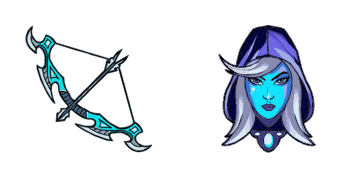
Подвластный custom cursor пак с милым курсором для фанатов темы.

Try this cursor

Move across the preview to feel both cursor styles.

Подвластный cute cursor pack preview
Hover these
Auto · default + hover
142
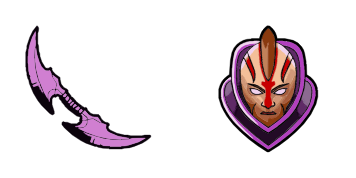
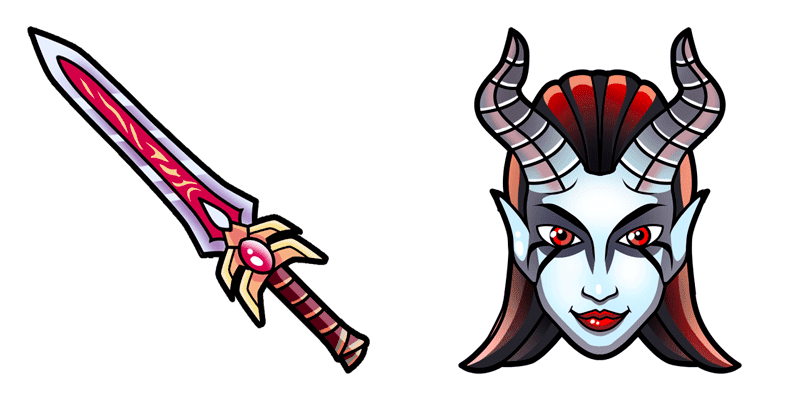
Курсор Underlord теперь доступен для использования в вашем веб-браузере, взятый из официальной коллекции DOTA 2 Cursor. Разработанный, чтобы соответствовать эстетике игры, этот курсор имеет внушительную фигуру страшного Underlord, полный с огненными рогами и сияющими глазами. С его поразительным дизайном и плавной анимацией, курсор Underlord идеально подходит для поклонников игры, или любого, кто ищет захватывающий взгляд и отличительный курсор для своего браузера. Просто загрузите и установите курсор, чтобы начать использовать его сегодня!Коллекция DOTA 2 включает этот курсор пак и множество других, чтобы добавить индивидуальности вашему интерфейсу.

You may also like

Explore other cursor packs from our collection

Пакет курсоров Stratz Dota 2

Курсор пак Stratz Dota 2

Stratz Dota 2 cursor - bright buddy with a themed Data Soft pointer.

Открыть
Пакет курсоров Dota 2 Dark Carnival

Курсор пак Dota 2 Dark Carnival

Dota 2 Dark Carnival cursor - bright buddy with a themed Carnival Soft pointer.

Открыть
Пакет курсоров Ringmaster Dota 2

Курсор пак Ringmaster Dota 2

Ringmaster Dota 2 cursor - bright buddy with a themed Ring Soft pointer.

Открыть
Пакет курсоров Lich Dota 2

Курсор пак Lich Dota 2

Lich Dota 2 cursor - bright buddy with a themed Frost Soft pointer.

Открыть
Пакет курсоров Weaver Dota 2

Курсор пак Weaver Dota 2

Weaver Dota 2 cursor - bright buddy with a themed Web Soft pointer.

Открыть
Пакет курсоров Bane Dota 2

Курсор пак Bane Dota 2

Bane Dota 2 cursor - bright buddy with a themed Nightmare Soft pointer.

Открыть
Пакет курсоров MMR Dota 2

Курсор пак MMR Dota 2

MMR Dota 2 cursor - bright buddy with a themed MMR Soft pointer.

Открыть
Пакет курсоров What Does Dota Stand For

Курсор пак What Does Dota Stand For

What Does Dota Stand For cursor - bright buddy with a themed Acronym Soft pointer.

Открыть

How to Install Подвластный

How to Install cursor Подвластный for Chrome

Подвластный preview

Подвластный

Подвластный custom cursor пак с милым курсором для фанатов темы.

  1. 1
    Go to Chrome Web Store

    Hit the 'Add to Browser' button to get the 'Подвластный' pack.

  2. 2
    Add the Extension

    On the Chrome Web Store, smash that ‘Add to Chrome’ button and confirm.

  3. 3
    Pin for Easy Access

    Pro-tip: Pin the 'Cute Cursors' extension to your toolbar for quick access.

  4. 4
    Activate Your Cursor

    Open the extension, find the 'Подвластный' pack, and click to activate. Easy peasy!

Piece of cake, right? Go on and have fun!

Didn't Find Your Vibe?

Our universe of cursors is huge. Dive into hundreds of unique collections and find the one that truly represents you.

Explore All Collections