Download Chrome extension

Вал cursor

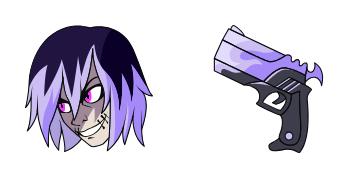
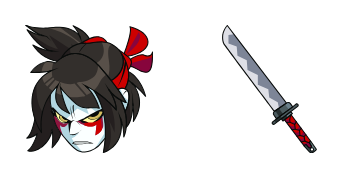
Вал курсор пак с милым курсором для Chrome, Edge и Windows.

Try this cursor

Move across the preview to feel both cursor styles.

Вал cute cursor pack preview
Hover these
Auto · default + hover
11
Курсор Val является частью коллекции курсоров и используется для настройки внешнего вида указателя мыши в веб-браузере. Он имеет яркий красный цвет и смелую форму V, что делает его легким для обнаружения на экране. Этот курсор подходит для веб-сайтов, которые хотят добавить ощущение личности к своему дизайну или приспособиться к определенной схеме брендинга. Он может быть легко интегрирован в веб-сайт с помощью кода CSS или JavaScript.Загляните в коллекцию Cursor Collection, чтобы найти еще больше паков, например, Вал.

You may also like

Explore other cursor packs from our collection

Пакет курсоров Brawlhalla Orange Hero

Курсор пак Brawlhalla Orange Hero

Meet the Orange Hero cute cursor - free custom cursor ready for every click.

Открыть
Пакет курсоров Brawlhalla Star Witch

Курсор пак Brawlhalla Star Witch

Star Witch cute cursor for fans - free custom cursor with arena brawl charm.

Открыть
Пакет курсоров Brawlhalla Forest Elf

Курсор пак Brawlhalla Forest Elf

Forest Elf cute cursor pack: free custom cursors with arena brawl style.

Открыть
Пакет курсоров Brawlhalla Cat Fighter

Курсор пак Brawlhalla Cat Fighter

Grab the Cat Fighter cute cursor - a free custom cursor pack for Brawlhalla fans.

Открыть
Пакет курсоров Brawlhalla Red Warrior

Курсор пак Brawlhalla Red Warrior

Drop the Red Warrior cute cursor - a free custom cursor for your desktop.

Открыть
Пакет курсоров Brawlhalla Blue Slime

Курсор пак Brawlhalla Blue Slime

Blue Slime free custom cursor - cute cursor flair for Brawlhalla fans.

Открыть
Пакет курсоров Brawlhalla Orion

Курсор пак Brawlhalla Orion

Brawlhalla Orion cursor with Rocket Lance pointer - free dark outline custom cursor.

Открыть
Пакет курсоров Brawlhalla Hattori

Курсор пак Brawlhalla Hattori

Brawlhalla Hattori cursor with Katana pointer - free dark outline custom cursor.

Открыть

How to Install Вал

How to Install cursor Вал for Chrome

Вал preview

Вал

Вал курсор пак с милым курсором для Chrome, Edge и Windows.

  1. 1
    Go to Chrome Web Store

    Hit the 'Add to Browser' button to get the 'Вал' pack.

  2. 2
    Add the Extension

    On the Chrome Web Store, smash that ‘Add to Chrome’ button and confirm.

  3. 3
    Pin for Easy Access

    Pro-tip: Pin the 'Cute Cursors' extension to your toolbar for quick access.

  4. 4
    Activate Your Cursor

    Open the extension, find the 'Вал' pack, and click to activate. Easy peasy!

Piece of cake, right? Go on and have fun!

Didn't Find Your Vibe?

Our universe of cursors is huge. Dive into hundreds of unique collections and find the one that truly represents you.

Explore All Collections