

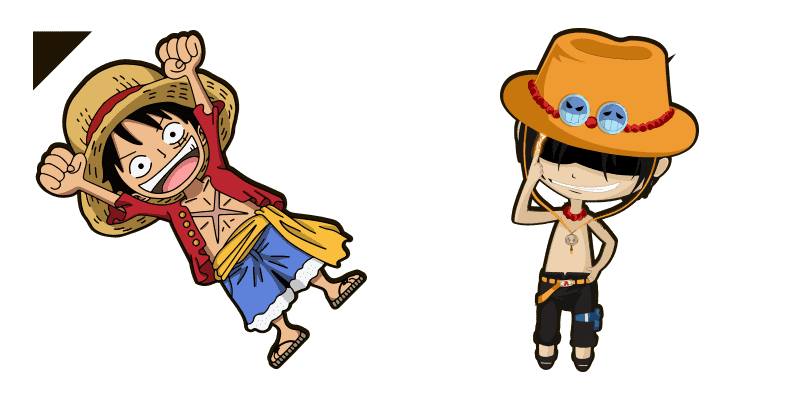
One Piece cursor
Crew spirit in this One Piece cute cursor, a free custom cursor pack for Grand Line adventurers.
Surgeon of Death cool in the Trafalgar Law cute cursor, a free custom cursor pack for fans.
Try this cursor
Move across the preview to feel both cursor styles.

Spotted hat and tattooed hands: the Trafalgar D. Water Law cute cursor gives the Surgeon of Death your pointer. The Trafalgar D. Water Law cute cursor is a free custom cursor for Chrome and Edge, and it also works on Windows 10/11 through the Custom Cursor app.
Muted yellows and blacks keep the captain sleek and clearly outlined. It is fan-made cursor art and is not an official Eiichiro Oda, Shueisha, or Toei Animation product.
Join the Room with the One Piece Trafalgar Law and Kikoku Cursor Pack, the One Piece Heart Pirates Cursor Pack, and the Kozuki Oden Cursor Pack.
Download the Trafalgar Law cursor pack and let a cold-blooded ally follow your clicks.
Customize your embed code and preview it in real time below.
Live preview
<style type="text/css">
body {
  cursor: url(https://cdn.cutecursors.com/db/trafalgar_d_water_law_cursor/arrow.png) 4 4, auto;
}
a, button, .clickable {
  cursor: url(https://cdn.cutecursors.com/db/trafalgar_d_water_law_cursor/hand.png) 4 4, pointer;
}
</style>
<a href="https://cutecursors.com//category/one-piece/trafalgar-d-water-law-cursor" title="Get free Trafalgar D. Water Law cursors for your website.">
  Trafalgar D. Water Law Cursors
</a>/* components/CuteCursor.jsx */
"use client";
import { useEffect } from "react";
const CURSOR = "https://cdn.cutecursors.com/db/trafalgar_d_water_law_cursor/arrow.png";
const POINTER = "https://cdn.cutecursors.com/db/trafalgar_d_water_law_cursor/hand.png";
export default function CuteCursor() {
useEffect(() => {
const style = document.createElement("style");
style.innerHTML = `
body { cursor: url(${CURSOR}) 4 4, auto; }
a, button, .clickable { cursor: url(${POINTER}) 4 4, pointer; }
`;
document.head.appendChild(style);
return () => style.remove();
}, []);
return null;
}
/* Usage: render <CuteCursor /> once, e.g. in your root layout or App:
<CuteCursor />
Trafalgar D. Water Law cursors by https://cutecursors.com//category/one-piece/trafalgar-d-water-law-cursor */-- Trafalgar D. Water Law custom cursor for Roblox
-- LocalScript (place it in StarterPlayer > StarterPlayerScripts)
--
-- 1) Download the cursor images (buttons above) or grab them here:
-- Cursor: https://cdn.cutecursors.com/db/trafalgar_d_water_law_cursor/arrow.png
-- Pointer: https://cdn.cutecursors.com/db/trafalgar_d_water_law_cursor/hand.png
-- 2) Upload them in Roblox Creator Hub as Decals (Create > Decals).
-- 3) Replace the IDs below with your uploaded Image asset IDs.
local UserInputService = game:GetService("UserInputService")
local Players = game:GetService("Players")
local CURSOR_ICON = "rbxassetid://CURSOR_ASSET_ID"
local POINTER_ICON = "rbxassetid://POINTER_ASSET_ID"
-- Set the default cursor
UserInputService.MouseIcon = CURSOR_ICON
-- Optional: switch to the pointer icon while hovering GUI buttons
local function hookButton(button)
button.MouseEnter:Connect(function()
UserInputService.MouseIcon = POINTER_ICON
end)
button.MouseLeave:Connect(function()
UserInputService.MouseIcon = CURSOR_ICON
end)
end
local playerGui = Players.LocalPlayer:WaitForChild("PlayerGui")
for _, gui in ipairs(playerGui:GetDescendants()) do
if gui:IsA("GuiButton") then
hookButton(gui)
end
end
playerGui.DescendantAdded:Connect(function(gui)
if gui:IsA("GuiButton") then
hookButton(gui)
end
end)
-- Trafalgar D. Water Law cursors: https://cutecursors.com//category/one-piece/trafalgar-d-water-law-cursor
Surgeon of Death cool in the Trafalgar Law cute cursor, a free custom cursor pack for fans.
Hit the 'Add to Browser' button to get the 'Trafalgar D. Water Law' pack.
On the Chrome Web Store, smash that ‘Add to Chrome’ button and confirm.
Pro-tip: Pin the 'Cute Cursors' extension to your toolbar for quick access.
Open the extension, find the 'Trafalgar D. Water Law' pack, and click to activate. Easy peasy!
Explore other cursor packs from our collection
Crew spirit in this One Piece cute cursor, a free custom cursor pack for Grand Line adventurers.

A softer One Piece cute cursor, a free custom cursor pack for fans of the whole Straw Hat crew.
Pirate Empress poise in the Boa Hancock cute cursor, a free custom cursor pack for Kuja fans.
Straw hat grin in the Monkey D. Luffy cute cursor, a free custom cursor pack for captain fans.

Soul King skeleton style in the Brook cute cursor, a free custom cursor pack for Straw Hat fans.
Fire Fist heat in the Portgas D. Ace cute cursor, a free custom cursor pack for Whitebeard fans.
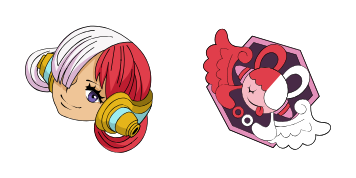
Diva stage energy in the Uta cute cursor, a free custom cursor pack for Film Red song fans.
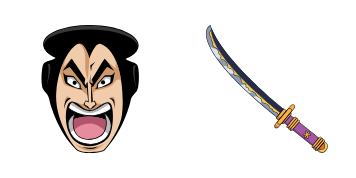
Wano legend in the Kozuki Oden cute cursor, a free custom cursor pack for samurai arc fans.
Our universe of cursors is huge. Dive into hundreds of unique collections and find the one that truly represents you.
Explore All Collections
Idle
{
  "status": "idle"
}