

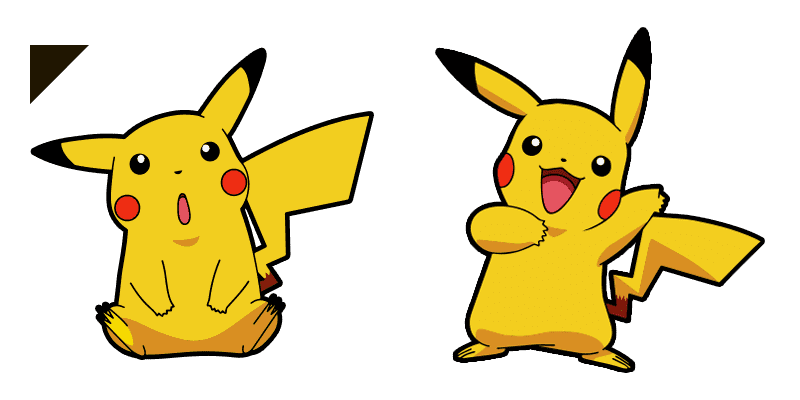
Surprised pikachu cursor
Surprised Pikachu Classic cute cursor - a free custom cursor with shocked yellow face.
Surprised Patrick Classic custom cursor - a cute cursor pack with wide-eyed starfish shock.
Try this cursor
Move across the preview to feel both cursor styles.

Give everyday browsing a punchier reaction with the Surprised Patrick Classic cute cursor. Its design features Patrick with huge eyes and open-mouth surprise, turning a familiar internet meme into a polished pointer with instant comic timing. The free custom cursor runs in Chrome and Edge, plus Windows 10/11 through Custom Cursor for meme-ready clicks across your desktop.
Clear silhouettes and readable click points keep the joke easy to follow on busy pages. This is fan-made cursor artwork created for meme fans and is not an official or endorsed release.
Discover more viral designs in the Think About It Cursor Pack, the Borzoi Let Me Do It For You Meme Cursor Pack, and the Inhaling Seagull Meme Cursor Pack.
Download the Surprised Patrick Classic pack and let its unmistakable reaction follow every scroll, hover, and click.
Customize your embed code and preview it in real time below.
Live preview
<style type="text/css">
body {
  cursor: url(https://cdn.cutecursors.com/images/cursors/5e712d3bf3c01.png) 4 4, auto;
}
a, button, .clickable {
  cursor: url(https://cdn.cutecursors.com/images/pointers/5e712d3bf3c0a.png) 4 4, pointer;
}
</style>
<a href="https://cutecursors.com//category/reaction-memes/surprised-patrick-cute-cursors" title="Get free Surprised Patrick cursors for your website.">
  Surprised Patrick Cursors
</a>/* components/CuteCursor.jsx */
"use client";
import { useEffect } from "react";
const CURSOR = "https://cdn.cutecursors.com/images/cursors/5e712d3bf3c01.png";
const POINTER = "https://cdn.cutecursors.com/images/pointers/5e712d3bf3c0a.png";
export default function CuteCursor() {
useEffect(() => {
const style = document.createElement("style");
style.innerHTML = `
body { cursor: url(${CURSOR}) 4 4, auto; }
a, button, .clickable { cursor: url(${POINTER}) 4 4, pointer; }
`;
document.head.appendChild(style);
return () => style.remove();
}, []);
return null;
}
/* Usage: render <CuteCursor /> once, e.g. in your root layout or App:
<CuteCursor />
Surprised Patrick cursors by https://cutecursors.com//category/reaction-memes/surprised-patrick-cute-cursors */-- Surprised Patrick custom cursor for Roblox
-- LocalScript (place it in StarterPlayer > StarterPlayerScripts)
--
-- 1) Download the cursor images (buttons above) or grab them here:
-- Cursor: https://cdn.cutecursors.com/images/cursors/5e712d3bf3c01.png
-- Pointer: https://cdn.cutecursors.com/images/pointers/5e712d3bf3c0a.png
-- 2) Upload them in Roblox Creator Hub as Decals (Create > Decals).
-- 3) Replace the IDs below with your uploaded Image asset IDs.
local UserInputService = game:GetService("UserInputService")
local Players = game:GetService("Players")
local CURSOR_ICON = "rbxassetid://CURSOR_ASSET_ID"
local POINTER_ICON = "rbxassetid://POINTER_ASSET_ID"
-- Set the default cursor
UserInputService.MouseIcon = CURSOR_ICON
-- Optional: switch to the pointer icon while hovering GUI buttons
local function hookButton(button)
button.MouseEnter:Connect(function()
UserInputService.MouseIcon = POINTER_ICON
end)
button.MouseLeave:Connect(function()
UserInputService.MouseIcon = CURSOR_ICON
end)
end
local playerGui = Players.LocalPlayer:WaitForChild("PlayerGui")
for _, gui in ipairs(playerGui:GetDescendants()) do
if gui:IsA("GuiButton") then
hookButton(gui)
end
end
playerGui.DescendantAdded:Connect(function(gui)
if gui:IsA("GuiButton") then
hookButton(gui)
end
end)
-- Surprised Patrick cursors: https://cutecursors.com//category/reaction-memes/surprised-patrick-cute-cursors
Surprised Patrick Classic custom cursor - a cute cursor pack with wide-eyed starfish shock.
Hit the 'Add to Browser' button to get the 'Surprised Patrick' pack.
On the Chrome Web Store, smash that ‘Add to Chrome’ button and confirm.
Pro-tip: Pin the 'Cute Cursors' extension to your toolbar for quick access.
Open the extension, find the 'Surprised Patrick' pack, and click to activate. Easy peasy!
Explore other cursor packs from our collection
Surprised Pikachu Classic cute cursor - a free custom cursor with shocked yellow face.
The Seagull Is Laughing cute cursor - a free custom cursor with raucous bird laughter.

Success Kid Classic cute cursor - a free custom cursor with fist-pump victory.

Like a Sir Classic cute cursor - a free custom cursor with top-hat elegance.
Try the Think About It cute cursor - a free custom cursor full of rolling-eyes wisdom.

Drake Hotline Bling Classic custom cursor - a cute cursor pack with approve-or-reject poses.
Try the Ok Boomer Classic cute cursor - a free custom cursor full of generation clapback.
This Is Fine Classic cute cursor - a free custom cursor with cozy chaos denial.
Our universe of cursors is huge. Dive into hundreds of unique collections and find the one that truly represents you.
Explore All Collections
Idle
{
  "status": "idle"
}