

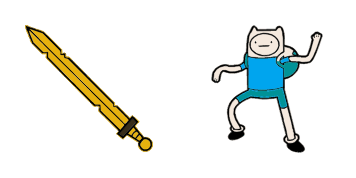
Pack de cursores Encuentra el humano
Encuentra el humano cursor pack: un cute cursor fresco para cada clic.
Aventura alarma tiempo gato animado - custom cursor cute para fans que quieren un pointer nuevo.
Try this cursor
Move across the preview to feel both cursor styles.

Customize your embed code and preview it in real time below.
Live preview
<style type="text/css">
body {
  cursor: url(https://cdn.cutecursors.com/cdn-sweezy/packs/adventure-time-alarm-cat-animated-cursor/arrow.png) 4 4, auto;
}
a, button, .clickable {
  cursor: url(https://cdn.cutecursors.com/cdn-sweezy/packs/adventure-time-alarm-cat-animated-cursor/hand.png) 4 4, pointer;
}
</style>
<a href="https://cutecursors.com//category/adventure-time/adventure-time-alarm-cat-animated-cursor" title="Get free Aventura alarma tiempo gato animado cursors for your website.">
  Aventura alarma tiempo gato animado Cursors
</a>/* components/CuteCursor.jsx */
"use client";
import { useEffect } from "react";
const CURSOR = "https://cdn.cutecursors.com/cdn-sweezy/packs/adventure-time-alarm-cat-animated-cursor/arrow.png";
const POINTER = "https://cdn.cutecursors.com/cdn-sweezy/packs/adventure-time-alarm-cat-animated-cursor/hand.png";
export default function CuteCursor() {
useEffect(() => {
const style = document.createElement("style");
style.innerHTML = `
body { cursor: url(${CURSOR}) 4 4, auto; }
a, button, .clickable { cursor: url(${POINTER}) 4 4, pointer; }
`;
document.head.appendChild(style);
return () => style.remove();
}, []);
return null;
}
/* Usage: render <CuteCursor /> once, e.g. in your root layout or App:
<CuteCursor />
Aventura alarma tiempo gato animado cursors by https://cutecursors.com//category/adventure-time/adventure-time-alarm-cat-animated-cursor */-- Aventura alarma tiempo gato animado custom cursor for Roblox
-- LocalScript (place it in StarterPlayer > StarterPlayerScripts)
--
-- 1) Download the cursor images (buttons above) or grab them here:
-- Cursor: https://cdn.cutecursors.com/cdn-sweezy/packs/adventure-time-alarm-cat-animated-cursor/arrow.png
-- Pointer: https://cdn.cutecursors.com/cdn-sweezy/packs/adventure-time-alarm-cat-animated-cursor/hand.png
-- 2) Upload them in Roblox Creator Hub as Decals (Create > Decals).
-- 3) Replace the IDs below with your uploaded Image asset IDs.
local UserInputService = game:GetService("UserInputService")
local Players = game:GetService("Players")
local CURSOR_ICON = "rbxassetid://CURSOR_ASSET_ID"
local POINTER_ICON = "rbxassetid://POINTER_ASSET_ID"
-- Set the default cursor
UserInputService.MouseIcon = CURSOR_ICON
-- Optional: switch to the pointer icon while hovering GUI buttons
local function hookButton(button)
button.MouseEnter:Connect(function()
UserInputService.MouseIcon = POINTER_ICON
end)
button.MouseLeave:Connect(function()
UserInputService.MouseIcon = CURSOR_ICON
end)
end
local playerGui = Players.LocalPlayer:WaitForChild("PlayerGui")
for _, gui in ipairs(playerGui:GetDescendants()) do
if gui:IsA("GuiButton") then
hookButton(gui)
end
end
playerGui.DescendantAdded:Connect(function(gui)
if gui:IsA("GuiButton") then
hookButton(gui)
end
end)
-- Aventura alarma tiempo gato animado cursors: https://cutecursors.com//category/adventure-time/adventure-time-alarm-cat-animated-cursor
Aventura alarma tiempo gato animado - custom cursor cute para fans que quieren un pointer nuevo.
Hit the 'Add to Browser' button to get the 'Aventura alarma tiempo gato animado' pack.
On the Chrome Web Store, smash that ‘Add to Chrome’ button and confirm.
Pro-tip: Pin the 'Cute Cursors' extension to your toolbar for quick access.
Open the extension, find the 'Aventura alarma tiempo gato animado' pack, and click to activate. Easy peasy!
Explore other cursor packs from our collection
Encuentra el humano cursor pack: un cute cursor fresco para cada clic.
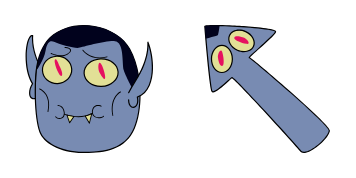
Pack Hunson Abadeer con cute cursor y cursor personalizado listo para usar.
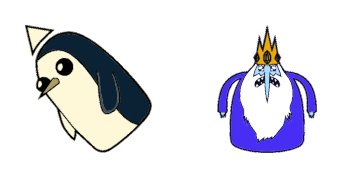
El Rey de Hielo: cursores cute y custom cursor sin complicaciones.
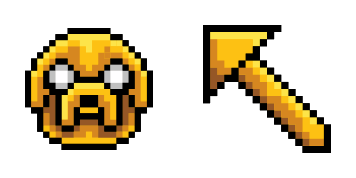
Prueba Jake Pixel - cursor personalizado y cute cursor para el navegador.

Añade Jake el perro a tu ratón - cute cursor y custom cursor gratis.
Prueba Lumpy princesa espacial - cursor personalizado y cute cursor para el navegador.
Descarga Marcelina Abadía - custom cursor adorable para Chrome, Edge y Windows.
Añade movimiento a tu ratón - cute cursor y custom cursor gratis.
Our universe of cursors is huge. Dive into hundreds of unique collections and find the one that truly represents you.
Explore All Collections
Instálalo ahora desde la Chrome Web Store oficial
Idle
{
  "status": "idle"
}