
Download Chrome extension

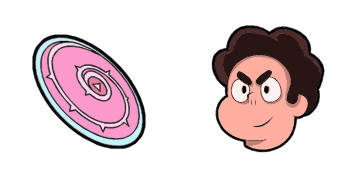
Bismuth cursor

Prueba Bismuth - cursor personalizado y cute cursor para el navegador.

Try this cursor

Move across the preview to feel both cursor styles.

Bismuth cute cursor pack preview
Hover these
Auto · default + hover
14
El cursor Bismuth de Cursors Collection es un cursor elegante y moderno para su navegador. Con su diseño único y acabado metálico, añade un toque de sofisticación a su experiencia de navegación. Es fácil de instalar y puede ser personalizado para adaptarse a sus preferencias. El cursor es suave y sensible, lo que hace que sea fácil de navegar por la pantalla de su ordenador. Ya sea que sea un usuario profesional o casual, el cursor Bismuth es una gran adición a su colección de cursores. Pruebe hoy y vea la diferencia que hace en su experiencia de navegación.La colección Cursor Collection te ayudará a encontrar aún más opciones personalizadas para tu interfaz.

You may also like

Explore other cursor packs from our collection

Pack de cursores Lars Barriga

Pack de cursores Lars Barriga

Lars Barriga cursor pack: un cute cursor fresco para cada clic.

Ver
Pack de cursores Pearl & Spear

Pack de cursores Pearl & Spear

Prueba Pearl & Spear - cursor personalizado y cute cursor para el navegador.

Ver
Pack de cursores Lapis Lazuli & Water Wings

Pack de cursores Lapis Lazuli & Water Wings

Lapis Lazuli & Water Wings: cursores cute y custom cursor sin complicaciones.

Ver
Pack de cursores Jasper & Crash Helmet

Pack de cursores Jasper & Crash Helmet

Añade Jasper & Crash Helmet a tu ratón - cute cursor y custom cursor gratis.

Ver
Pack de cursores Onion & Chaaaaps

Pack de cursores Onion & Chaaaaps

Onion & Chaaaaps trae un cute cursor en un pack de cursor personalizado.

Ver
Pack de cursores Greg Universe y Guitarra

Pack de cursores Greg Universe y Guitarra

Cursor pack Greg Universe y Guitarra con estilo cute cursor para el día a día.

Ver
Pack de cursores Garnet & Gauntlet

Pack de cursores Garnet & Gauntlet

Garnet & Gauntlet - custom cursor cute para fans que quieren un pointer nuevo.

Ver
Pack de cursores Bubble Shield

Pack de cursores Bubble Shield

Bubble Shield: cute cursor pack y cursor personalizado gratis para el escritorio.

Ver

How to Install Bismuth

How to Install cursor Bismuth for Chrome

Bismuth preview

Bismuth

Prueba Bismuth - cursor personalizado y cute cursor para el navegador.
  1. 1
    Go to Chrome Web Store

    Hit the 'Add to Browser' button to get the 'Bismuth' pack.

  2. 2
    Add the Extension

    On the Chrome Web Store, smash that ‘Add to Chrome’ button and confirm.

  3. 3
    Pin for Easy Access

    Pro-tip: Pin the 'Cute Cursors' extension to your toolbar for quick access.

  4. 4
    Activate Your Cursor

    Open the extension, find the 'Bismuth' pack, and click to activate. Easy peasy!

Piece of cake, right? Go on and have fun!

Didn't Find Your Vibe?

Our universe of cursors is huge. Dive into hundreds of unique collections and find the one that truly represents you.

Explore All Collections