

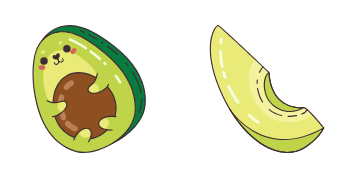
Pack de cursores Cocina dulce de avocado
Cocina dulce de avocado: cursores cute y custom cursor sin complicaciones.
Blackberry Pie custom cursor for Chrome and Edge - bright berry buddy pack.
Try this cursor
Move across the preview to feel both cursor styles.

Fill your tabs with Blackberry Pie - a cheerful berry-character cursor and matching Blackberry Pie Buddy for every link. The Blackberry Pie cute cursor is a free custom cursor for Chrome and Edge, and it also works on Windows 10/11 through the Custom Cursor app.
Cute original Blackberry Pie character art - soft darkened rim, no white sticker border. Fan-style mascot only. It is fan-made cursor art with no official affiliation.
Install the free Blackberry Pie cursor in Chrome or Edge, or on Windows 10/11 with the Custom Cursor app.
Explore other cursor packs from our collection
Cocina dulce de avocado: cursores cute y custom cursor sin complicaciones.

Banana de Kawaii con fresas: cursores cute y custom cursor sin complicaciones.

El café y el croissant: cursores cute y custom cursor sin complicaciones.

Kawaii Donut y helado trae un cute cursor en un pack de cursor personalizado.

Pack Cocina de cerveza Kawaii con cute cursor y cursor personalizado listo para usar.

Kawaii Dumpling: cute cursor pack y cursor personalizado gratis para el escritorio.

Pizzas de Kawaii - custom cursor cute para fans que quieren un pointer nuevo.

Descarga Kawaii porcino - custom cursor adorable para Chrome, Edge y Windows.

Blackberry Pie custom cursor for Chrome and Edge - bright berry buddy pack.
Hit the 'Add to Browser' button to get the 'Blackberry Pie' pack.
On the Chrome Web Store, smash that ‘Add to Chrome’ button and confirm.
Pro-tip: Pin the 'Cute Cursors' extension to your toolbar for quick access.
Open the extension, find the 'Blackberry Pie' pack, and click to activate. Easy peasy!
Our universe of cursors is huge. Dive into hundreds of unique collections and find the one that truly represents you.
Explore All Collections
Instálalo ahora desde la Chrome Web Store oficial
Idle
{
  "status": "idle"
}