Download Chrome extension

Soos Ramirez cursor

Descarga Soos Ramirez - custom cursor adorable para Chrome, Edge y Windows.

Try this cursor

Move across the preview to feel both cursor styles.

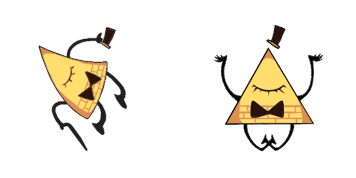
Soos Ramirez cute cursor pack preview
Hover these
Auto · default + hover
32
Introducción del cursor Soos Ramirez para tu navegador, ahora disponible en la colección Cursors. Este cursor divertido y curioso cuenta con el adorable personaje de la popular serie animada, Gravity Falls. Con sus colores brillantes y un diseño lúdico, el cursor Soos Ramirez es una gran manera de agregar algo de personalidad y diversión a tu experiencia de navegación. Compatible con la mayoría de los navegadores web, simplemente descarga e instala el cursor y disfruta de los anticuados de Soos mientras navega por la web. No te pierdas esta emocionante adición a la colección Cursors!La colección Gravity Falls contiene este paquete de cursores y otros interesantes que te permitirán cambiar el cursor de tu ratón.

You may also like

Explore other cursor packs from our collection

Pack de cursores Bill Cipher

Pack de cursores Bill Cipher

Bill Cipher cursor - kawaii pastel buddy with a themed Bow Tie Cuff pointer.

Ver
Pack de cursores Gravity Falls Backpack

Pack de cursores Gravity Falls Backpack

Gravity Falls Backpack cursor - kawaii pastel buddy with a themed Backpack Zip Cuff pointer.

Ver
Pack de cursores Mabel Gravity Falls

Pack de cursores Mabel Gravity Falls

Mabel Gravity Falls cursor - kawaii pastel buddy with a themed Shooting Star Cuff pointer.

Ver
Pack de cursores Gravity Falls Mabel

Pack de cursores Gravity Falls Mabel

Gravity Falls Mabel cursor - kawaii pastel buddy with a themed Candy Sweater Cuff pointer.

Ver
Pack de cursores Gravity Falls Dipper

Pack de cursores Gravity Falls Dipper

Gravity Falls Dipper cursor - kawaii pastel buddy with a themed Pine Tree Cap pointer.

Ver
Pack de cursores Dipper Gravity Falls

Pack de cursores Dipper Gravity Falls

Dipper Gravity Falls cursor - kawaii pastel buddy with a themed Journal Cap Cuff pointer.

Ver
Pack de cursores Dipper

Pack de cursores Dipper

Dipper cursor - kawaii pastel buddy with a themed Dipper Cap Cuff pointer.

Ver
Pack de cursores Mabel

Pack de cursores Mabel

Mabel cursor - kawaii pastel buddy with a themed Mabel Star Cuff pointer.

Ver

How to Install Soos Ramirez

How to Install cursor Soos Ramirez for Chrome

Soos Ramirez preview

Soos Ramirez

Descarga Soos Ramirez - custom cursor adorable para Chrome, Edge y Windows.

  1. 1
    Go to Chrome Web Store

    Hit the 'Add to Browser' button to get the 'Soos Ramirez' pack.

  2. 2
    Add the Extension

    On the Chrome Web Store, smash that ‘Add to Chrome’ button and confirm.

  3. 3
    Pin for Easy Access

    Pro-tip: Pin the 'Cute Cursors' extension to your toolbar for quick access.

  4. 4
    Activate Your Cursor

    Open the extension, find the 'Soos Ramirez' pack, and click to activate. Easy peasy!

Piece of cake, right? Go on and have fun!

Didn't Find Your Vibe?

Our universe of cursors is huge. Dive into hundreds of unique collections and find the one that truly represents you.

Explore All Collections