Download Chrome extension

Kaeya cursor

Kaeya - custom cursor cute para fans que quieren un pointer nuevo.

Try this cursor

Move across the preview to feel both cursor styles.

Kaeya cute cursor pack preview
Hover these
Auto · default + hover
86
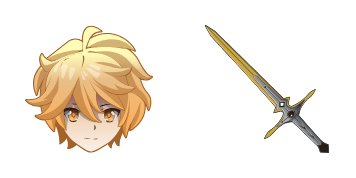
El cursor Kaeya de Cursors Collection es una exquisita adición a cualquier navegador. Inspirado por el popular personaje de Genshin Impact, cuenta con un diseño animado en el que Kaeya gira su espada graciosamente. El cursor mantiene su funcionalidad mientras muestra una estética fresca, lo que lo hace perfecto para jugadores, entusiastas de anime o cualquier persona que quiera agregar algún estilo a su experiencia de navegación. Es fácil de descargar e instalar, y compatible con la mayoría de los navegadores. Dele a su cursor un nuevo aspecto con el cursor Kaeya de Cursorsorsors Collection.Este paquete de cursores es solo uno de muchos personalizados disponibles en la colección Genshin Impact.

You may also like

Explore other cursor packs from our collection

Pack de cursores Genshin Slime

Pack de cursores Genshin Slime

Genshin Slime cursor - free custom cursor with a matching anemo swirl pointer.

Ver
Pack de cursores Genshin Mouse

Pack de cursores Genshin Mouse

Genshin Mouse cursor - cute custom cursor with a Element Orb pointer.

Ver
Pack de cursores Genshin Anemo Slime

Pack de cursores Genshin Anemo Slime

Genshin Anemo Slime cursor - cute custom cursor with a Leaf Wind pointer.

Ver
Pack de cursores Genshin Fairy Guide

Pack de cursores Genshin Fairy Guide

Genshin Fairy Guide cursor - cute custom cursor with a Emergency Food pointer.

Ver
Pack de cursores Genshin Vision

Pack de cursores Genshin Vision

Genshin Vision cursor - cute custom cursor with a Mora Coin pointer.

Ver
Pack de cursores Genshin Sword

Pack de cursores Genshin Sword

Genshin Sword cursor - cute custom cursor with a Wishing Star pointer.

Ver
Pack de cursores Genshin Adeptus

Pack de cursores Genshin Adeptus

Genshin Adeptus cursor - cute custom cursor with a Cloud Sigil pointer.

Ver
Pack de cursores Genshin Pyro Slime

Pack de cursores Genshin Pyro Slime

Genshin Pyro Slime cursor - cute custom cursor with a Flame Spark pointer.

Ver

How to Install Kaeya

How to Install cursor Kaeya for Chrome

Kaeya preview

Kaeya

Kaeya - custom cursor cute para fans que quieren un pointer nuevo.

  1. 1
    Go to Chrome Web Store

    Hit the 'Add to Browser' button to get the 'Kaeya' pack.

  2. 2
    Add the Extension

    On the Chrome Web Store, smash that ‘Add to Chrome’ button and confirm.

  3. 3
    Pin for Easy Access

    Pro-tip: Pin the 'Cute Cursors' extension to your toolbar for quick access.

  4. 4
    Activate Your Cursor

    Open the extension, find the 'Kaeya' pack, and click to activate. Easy peasy!

Piece of cake, right? Go on and have fun!

Didn't Find Your Vibe?

Our universe of cursors is huge. Dive into hundreds of unique collections and find the one that truly represents you.

Explore All Collections