Download Chrome extension

Axe cursor

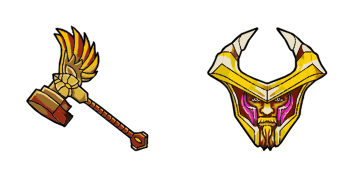
Axe cursor pack: un cute cursor fresco para cada clic.

Try this cursor

Move across the preview to feel both cursor styles.

Axe cute cursor pack preview
Hover these
Auto · default + hover
109
El cursor de Axe para tu navegador proviene de la colección de cursores de DOTA 2 y está diseñado para dar vida al personaje icónico en tu escritorio. Este cursor cuenta con el casco y las armas distintivas de Axe, y su movimiento suave y responsivo asegura una experiencia de navegación suave. Con el cursor de Axe, puedes mostrar tu amor por DOTA 2 y sus personajes, añadiendo un toque personalizado a tu ordenador que es seguro de impresionar a otros fans del juego.La colección de cursores DOTA 2 incluye este y muchos otros paquetes de cursores para tu disfrute.

You may also like

Explore other cursor packs from our collection

Pack de cursores Warlock

Pack de cursores Warlock

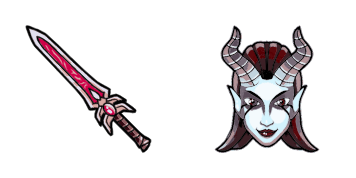
Warlock cursor - bright cute buddy with a Demonic Staff pointing hand.

Ver
Pack de cursores Weaver

Pack de cursores Weaver

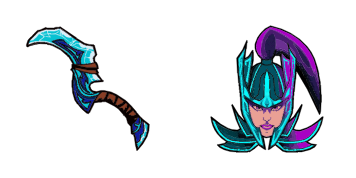
Weaver cursor - bright cute buddy with a Beetle Claw pointing hand.

Ver
Pack de cursores Windranger

Pack de cursores Windranger

Windranger cursor - bright cute buddy with a Powershot Arrow pointing hand.

Ver
Pack de cursores Winter Wyvern

Pack de cursores Winter Wyvern

Winter Wyvern cursor - bright cute buddy with a Frozen Shard pointing hand.

Ver
Pack de cursores Witch Doctor

Pack de cursores Witch Doctor

Witch Doctor cursor - bright cute buddy with a Death Ward Staff pointing hand.

Ver
Pack de cursores Wraith King

Pack de cursores Wraith King

Wraith King cursor - bright cute buddy with a Wraith Sword pointing hand.

Ver
Pack de cursores Zeus

Pack de cursores Zeus

Zeus cursor - bright cute buddy with a Lightning Bolt pointing hand.

Ver
Pack de cursores Dota 2 Juggernaut

Pack de cursores Dota 2 Juggernaut

Dota 2 Juggernaut cursor with Katana pointer - free dark outline custom cursor.

Ver

How to Install Axe

How to Install cursor Axe for Chrome

Axe preview

Axe

Axe cursor pack: un cute cursor fresco para cada clic.

  1. 1
    Go to Chrome Web Store

    Hit the 'Add to Browser' button to get the 'Axe' pack.

  2. 2
    Add the Extension

    On the Chrome Web Store, smash that ‘Add to Chrome’ button and confirm.

  3. 3
    Pin for Easy Access

    Pro-tip: Pin the 'Cute Cursors' extension to your toolbar for quick access.

  4. 4
    Activate Your Cursor

    Open the extension, find the 'Axe' pack, and click to activate. Easy peasy!

Piece of cake, right? Go on and have fun!

Didn't Find Your Vibe?

Our universe of cursors is huge. Dive into hundreds of unique collections and find the one that truly represents you.

Explore All Collections