Download Chrome extension

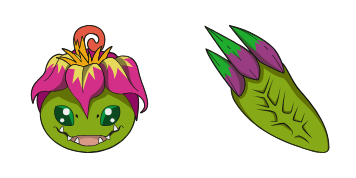
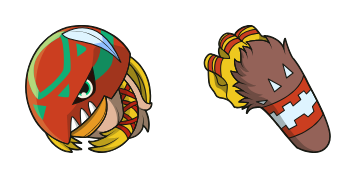
Tentación cursor

Prueba Tentación - cursor personalizado y cute cursor para el navegador.

Try this cursor

Move across the preview to feel both cursor styles.

Tentación cute cursor pack preview
Hover these
Auto · default + hover
10
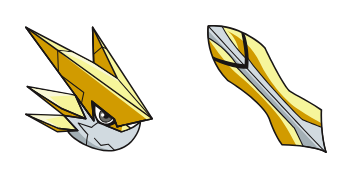
El cursor Tentomon de Cursors Collection es una forma divertida y entretenida de personalizar tu navegador. Con el personaje amado del popular anime Digimon, este cursor es perfecto para los fans jóvenes y mayores. El diseño es atractivo y vibrante, lo que hace que sea fácil de ver en tu pantalla. El cursor es fácil de instalar y usar, y añade un toque jugable a tu experiencia de navegación. Ya sea que estés navegando por la web o trabajando en un proyecto, el cursor Tentomon es seguro de traer una sonrisa a tu cara.En la colección Cursor Collection encontrarás los mejores paquetes de cursores, incluyendo este elegante paquete.

You may also like

Explore other cursor packs from our collection

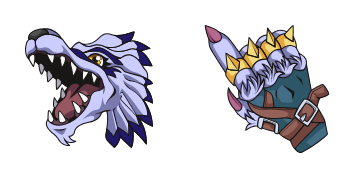
Pack de cursores Digimon Blue Wolf

Pack de cursores Digimon Blue Wolf

Digimon Blue Wolf cute cursor brings a fluffy blue partner arrow and a matching blue paw pointer.

Ver
Pack de cursores Digimon Flower Plant

Pack de cursores Digimon Flower Plant

Digimon Flower Plant cute cursor packs a green leafy Digimon arrow and a matching plant hand pointer.

Ver
Pack de cursores Palmon Sleepy

Pack de cursores Palmon Sleepy

Palmon Sleepy cursor - dozing plant Digimon tip with a leafy Zzz pointing hand.

Ver
Pack de cursores Palmon Flower Bloom

Pack de cursores Palmon Flower Bloom

Palmon Flower Bloom cursor - open pink blossom tip with a matching leafy hand.

Ver
Pack de cursores Palmon Rainy

Pack de cursores Palmon Rainy

Palmon Rainy cursor - plant Digimon tip with umbrella vibes and raindrops.

Ver
Pack de cursores Palmon Sunny

Pack de cursores Palmon Sunny

Palmon Sunny cursor - bright plant Digimon tip with a cheerful sun accent.

Ver
Pack de cursores Palmon Snowy

Pack de cursores Palmon Snowy

Palmon Snowy cursor - scarf-wrapped plant Digimon tip with snowflake accents.

Ver
Pack de cursores Palmon Party

Pack de cursores Palmon Party

Palmon Party cursor - plant Digimon tip with a party hat and confetti.

Ver

How to Install Tentación

How to Install cursor Tentación for Chrome

Tentación preview

Tentación

Prueba Tentación - cursor personalizado y cute cursor para el navegador.

  1. 1
    Go to Chrome Web Store

    Hit the 'Add to Browser' button to get the 'Tentación' pack.

  2. 2
    Add the Extension

    On the Chrome Web Store, smash that ‘Add to Chrome’ button and confirm.

  3. 3
    Pin for Easy Access

    Pro-tip: Pin the 'Cute Cursors' extension to your toolbar for quick access.

  4. 4
    Activate Your Cursor

    Open the extension, find the 'Tentación' pack, and click to activate. Easy peasy!

Piece of cake, right? Go on and have fun!

Didn't Find Your Vibe?

Our universe of cursors is huge. Dive into hundreds of unique collections and find the one that truly represents you.

Explore All Collections