Download Chrome extension

Val cursor

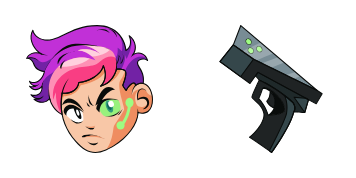
Val: cute cursor pack y cursor personalizado gratis para el escritorio.

Try this cursor

Move across the preview to feel both cursor styles.

Val cute cursor pack preview
Hover these
Auto · default + hover
11
El cursor Val es parte de la colección de cursores y se utiliza para personalizar la apariencia del cursor del ratón en un navegador web. Dispone de un color rojo vibrante y una forma de V audaz y superior, lo que hace que sea fácil de ver en la pantalla. Este cursor es adecuado para sitios web que desean agregar un toque de personalidad a su diseño o alinearse con un esquema de marca específico. Se puede integrar fácilmente en un sitio web utilizando el código CSS o JavaScript.Explora la colección Cursor Collection para encontrar más paquetes, como Val.

You may also like

Explore other cursor packs from our collection

Pack de cursores Xull

Pack de cursores Xull

Pack Xull con cute cursor y cursor personalizado listo para usar.
Ver
Pack de cursores Ada

Pack de cursores Ada

Ada: cursores cute y custom cursor sin complicaciones.

Ver
Pack de cursores Lanzamiento

Pack de cursores Lanzamiento

Lanzamiento cursor pack: un cute cursor fresco para cada clic.

Ver
Pack de cursores Brawlhalla Orange Hero

Pack de cursores Brawlhalla Orange Hero

Meet the Orange Hero cute cursor - free custom cursor ready for every click.

Ver
Pack de cursores Brawlhalla Star Witch

Pack de cursores Brawlhalla Star Witch

Star Witch cute cursor for fans - free custom cursor with arena brawl charm.

Ver
Pack de cursores Brawlhalla Forest Elf

Pack de cursores Brawlhalla Forest Elf

Forest Elf cute cursor pack: free custom cursors with arena brawl style.

Ver
Pack de cursores Brawlhalla Cat Fighter

Pack de cursores Brawlhalla Cat Fighter

Grab the Cat Fighter cute cursor - a free custom cursor pack for Brawlhalla fans.

Ver
Pack de cursores Brawlhalla Red Warrior

Pack de cursores Brawlhalla Red Warrior

Drop the Red Warrior cute cursor - a free custom cursor for your desktop.

Ver

How to Install Val

How to Install cursor Val for Chrome

Val preview

Val

Val: cute cursor pack y cursor personalizado gratis para el escritorio.

  1. 1
    Go to Chrome Web Store

    Hit the 'Add to Browser' button to get the 'Val' pack.

  2. 2
    Add the Extension

    On the Chrome Web Store, smash that ‘Add to Chrome’ button and confirm.

  3. 3
    Pin for Easy Access

    Pro-tip: Pin the 'Cute Cursors' extension to your toolbar for quick access.

  4. 4
    Activate Your Cursor

    Open the extension, find the 'Val' pack, and click to activate. Easy peasy!

Piece of cake, right? Go on and have fun!

Didn't Find Your Vibe?

Our universe of cursors is huge. Dive into hundreds of unique collections and find the one that truly represents you.

Explore All Collections