Google Chrome

Super Mario custom cursor

Dive into a colorful world of gaming nostalgia with our Super Mario cursor pack - perfect for browsers and Windows 10/11, adding fun to every click!

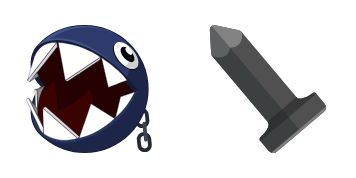
✨ Move your mouse to test both cursors
Arrow Cursor

Default navigation pointer

Pointer Cursor

Used for clickable elements

Hover over each side to preview both cursor styles in real-time.

1,000+

Bring Gaming Nostalgia with Our "Super Mario" Custom Cursor Pack

Are you a fan of classic video games? Then our custom cursor pack, featuring the lovable and iconic Super Mario character, is perfect for you. With this unique blend of retro-style graphics and modern functionality, your web browsing experience will take on a whole new level of fun. The "Super Mario" cursor pack provides an innovative way to navigate your browser in both Chrome and Edge extensions.

But that's not all - our custom cursors work seamlessly with Windows 10 and 11, too! Simply use our desktop application, "Custom Cursor for Windows 11", and enjoy the magic of Mario accompanying your clicks and scrolls. This aesthetic mouse pointer is both stylish and fun - an animated cursor pack that will make you feel like embarking on a brand new adventure every time you sit down to surf the web.

The inspiration for our "Super Mario" custom cursors stems from our love of classic video games. We wanted to create something special and unique, blending nostalgia with modern technology. As Super Mario guides your journey through the World Wide Web, we hope you'll be reminded of those childhood afternoons spent playing Super Mario Bros. and exploring colorful worlds.

This fanart.

How to Install Super Mario cursors

How to Install cursor Super Mario for Chrome

Super Mario preview

Super Mario

Dive into a colorful world of gaming nostalgia with our Super Mario cursor pack - perfect for browsers and Windows 10/11, adding fun to every click!

  1. 1
    Go to Chrome Web Store

    Hit the 'Add to Browser' button to get the 'Super Mario' pack.

  2. 2
    Add the Extension

    On the Chrome Web Store, smash that ‘Add to Chrome’ button and confirm.

  3. 3
    Pin for Easy Access

    Pro-tip: Pin the 'Cute Cursors' extension to your toolbar for quick access.

  4. 4
    Activate Your Cursor

    Open the extension, find the 'Super Mario' pack, and click to activate. Easy peasy!

Piece of cake, right? Go on and have fun!

You may also like

Explore other cursor packs from our collection

Luigi Custom Cursor Pack

Luigi Free Custom Cursor Pack

Discover playful, stylish mouse pointers with our cute, aesthetic Luigi cursor pack for browsers & Windows 10/11, perfect to show off your love for classic video games!

Super Mario Bros. Custom Cursor Pack

Super Mario Bros. Free Custom Cursor Pack

Discover Super Mario Bros. custom cursors for browsers and Windows! Dive into pixelated fun with iconic characters like Mario, Luigi & Peach in your unique cursor pack. Perfectly compatible and easy to install, enhance your browsing experience today!

Super Mario: Luigi Custom Cursor Pack

Super Mario: Luigi Free Custom Cursor Pack

Dive into web browsing like never before with the funky green Luigi cursor from our Super Mario Collection - a stylish addition for both browsers and Windows 10/11!

Super Mario Donkey Kong Custom Cursor Pack

Super Mario Donkey Kong Free Custom Cursor Pack

Dive into the world of Super Mario and Donkey Kong with our exciting custom mouse cursors for browsers and Windows 10/11 – stylish, cute, and perfect for endless gaming fun!

Super Mario King Boo Custom Cursor Pack

Super Mario King Boo Free Custom Cursor Pack

Dive into the Super Mario universe with our "Super Mario King Boo" custom cursor pack! Designed for browsers and Windows 10/11 systems, these stylish cursors are perfect for cute, aesthetic mouse pointers and browser-based fun. Add a touch of spooky nosta

Mario Custom Cursor Pack

Mario Free Custom Cursor Pack

"Experience nostalgia with our Mario-themed cursor pack! Perfect for browsers & Windows 10/11, featuring the classic video game character in cute designs that will add a retro flair to your computer setup."

Super Mario Diddy Kong Custom Cursor Pack

Super Mario Diddy Kong Free Custom Cursor Pack

Discover the Super Mario Diddy Kong cursor pack - stylish and brave! Perfect for browsers & Windows 10/11, these cute cursors from the Super Mario Cursor Collection feature Yellow Stars, a Red Hat with Nintendo logo, and star-shaped medals to conquer any

Super Mario Luigi Pixel Custom Cursor Pack

Super Mario Luigi Pixel Free Custom Cursor Pack

Unleash nostalgia and style with Super Mario Luigi Pixel Animated cursors - perfect for browsers and Windows 10/11!

Didn't Find Your Vibe?

Our universe of cursors is huge. Dive into hundreds of unique collections and find the one that truly represents you.

Explore All Collections