Google Chrome

Blissey custom cursor

Discover the sweet and unique "Blissey" custom cursors from Cursors Collection - perfect for browsers and Windows 10/11! With cute aesthetics, stylish designs & joyful presence, this lovable Pokémon cursor will make your browsing sessions healing and fun.

✨ Move your mouse to test both cursors
Arrow Cursor

Default navigation pointer

Pointer Cursor

Used for clickable elements

Hover over each side to preview both cursor styles in real-time.

1,000+
Young and adventurous in their teens? They are typically seen as playful and adventurous, so if you can imagine this hypothetical situation: Let's say that the youngest students of your school decide they want to create a new language program. After some research, it is known that each student has 2 hours to develop their own unique cursor for their school project. They have decided on two themes for their cursors; one theme and one colorful. Here are the steps you would take: Design a system wherein you can upload these two designs as individual files, then use them in your software application. The design of the new language is called "Curl". All Cursors should work with it.

How to Install Blissey cursors

How to Install cursor Blissey for Chrome

Blissey preview

Blissey

Discover the sweet and unique "Blissey" custom cursors from Cursors Collection - perfect for browsers and Windows 10/11! With cute aesthetics, stylish designs & joyful presence, this lovable Pokémon cursor will make your browsing sessions healing and fun.

  1. 1
    Go to Chrome Web Store

    Hit the 'Add to Browser' button to get the 'Blissey' pack.

  2. 2
    Add the Extension

    On the Chrome Web Store, smash that ‘Add to Chrome’ button and confirm.

  3. 3
    Pin for Easy Access

    Pro-tip: Pin the 'Cute Cursors' extension to your toolbar for quick access.

  4. 4
    Activate Your Cursor

    Open the extension, find the 'Blissey' pack, and click to activate. Easy peasy!

Piece of cake, right? Go on and have fun!

You may also like

Explore other cursor packs from our collection

Pokemon Caterpie Pixel Custom Cursor Pack

Pokemon Caterpie Pixel Free Custom Cursor Pack

Transform your mouse experience with Pokemon Caterpie Pixel - a stylish cursor pack perfect for browsers and Windows 10/11, infusing cuteness into every digital quest!

Suicune Custom Cursor Pack

Suicune Free Custom Cursor Pack

Discover the sleek, swirling design of our Suicune cursor from Cursors Collection - perfect for web browsing and Windows 10/11 with blue-white coloring inspired by Pokemon legend!

Blissey Custom Cursor Pack

Blissey Free Custom Cursor Pack

Dive into whimsical browsing with "Blissey", a charming custom cursor from Cursors Collection inspired by Pokemon, perfect for both browsers and Windows 10/11.

Ditto Custom Cursor Pack

Ditto Free Custom Cursor Pack

Experience delightful web navigation with the Ditto custom cursor pack - stylish, quirky, and perfect for both browsers & Windows 10/11 users!

Magikarp Custom Cursor Pack

Magikarp Free Custom Cursor Pack

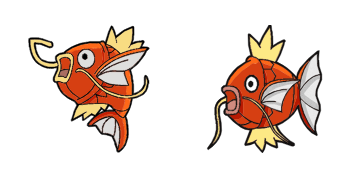
Experience a splash of fun with our stylish Magikarp cursor pack! Ideal for browsers & Windows 10/11, this cute and whimsical mouse pointer brings the beloved Pokemon character to your desktop.

Pokemon Character Custom Cursor Pack

Pokemon Character Free Custom Cursor Pack

Discover the fun with our unique "Among Us Pokemon Character" cursor from the Cursors Collection - perfect for browser and Windows 10/11 aesthetics!

Pokemon Mewtwo Custom Cursor Pack

Pokemon Mewtwo Free Custom Cursor Pack

"Unleash your personal touch with our "Pokemon Mewtwo" custom cursor pack - stylish and cute for browsers & Windows 10/11!"

Pokemon GO Custom Cursor Pack

Pokemon GO Free Custom Cursor Pack

Discover cute Pokemon GO cursors for browsers and Windows 10/11 - a stylish cursor pack that adds an adventurous twist to your daily browsing experience!

Didn't Find Your Vibe?

Our universe of cursors is huge. Dive into hundreds of unique collections and find the one that truly represents you.

Explore All Collections