


Jax cursor
Bionic arm power in the Jax cute cursor, a free custom cursor pack for Special Forces fans.
Dragon emblem style in the Mortal Kombat 11 logo cute cursor, a free custom cursor pack for fans.
Try this cursor
Move across the preview to feel both cursor styles.

The dragon mark front and center: the Mortal Kombat 11 logo cute cursor turns the franchise emblem into your pointer. This Mortal Kombat 11 Logo cute cursor installs free in Chrome and Edge, and the Custom Cursor app brings it to Windows 10/11 as well.
A single bold glyph stays sharp even at the smallest pointer scale. This is fan-made cursor art, not an official NetherRealm Studios or Warner Bros. Games release.
Fly more series iconography with the Mortal Kombat Fatality Cursor Pack, the Mortal Kombat Games Cursor Pack, and the Mortal Kombat Cute Cursor Pack.
Download the Mortal Kombat 11 logo cursor pack and stamp the dragon on your desktop.
Explore other cursor packs from our collection
Bionic arm power in the Jax cute cursor, a free custom cursor pack for Special Forces fans.
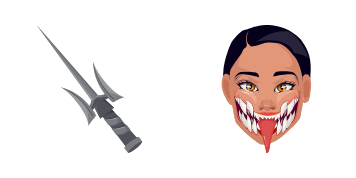
Unmasked Tarkatan grin in the Mileena cute cursor, a free custom cursor pack for Outworld fans.

Lin Kuei frost in the Sub-Zero cute cursor, a free custom cursor pack for ice ninja fans.

Black Dragon menace in the Kano cute cursor, a free custom cursor pack for mercenary fans.

Soul-stealing sorcery in the Shang Tsung cute cursor, a free custom cursor pack for villain fans.

Hellfire specter style in the Scorpion cute cursor, a free custom cursor pack for ninja fans.
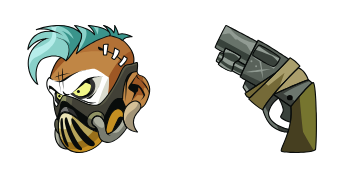
Gritty enforcer style in the Barraza cute cursor, a free custom cursor pack for deep-roster fans.

Arcade-era feel in this Mortal Kombat cute cursor, a free custom cursor pack for classic fans.

Dragon emblem style in the Mortal Kombat 11 logo cute cursor, a free custom cursor pack for fans.
Hit the 'Add to Browser' button to get the 'Mortal Kombat 11 Logo' pack.
On the Chrome Web Store, smash that ‘Add to Chrome’ button and confirm.
Pro-tip: Pin the 'Cute Cursors' extension to your toolbar for quick access.
Open the extension, find the 'Mortal Kombat 11 Logo' pack, and click to activate. Easy peasy!
Our universe of cursors is huge. Dive into hundreds of unique collections and find the one that truly represents you.
Explore All Collections
Install it now for free from the official Chrome Web Store
Idle
{
  "status": "idle"
}