

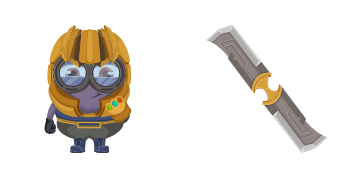
Minion: Thanos Character cursor
Gauntlet glow: Minion Thanos cute cursor - free custom cursor purple power set.
Purple mischief: Evil Minion cute cursor - free custom cursor for cheeky clicks.
Try this cursor
Move across the preview to feel both cursor styles.

Purple fur and a wild grin: Evil Minion turns your mouse into a cheeky cute cursor. This free custom cursor pack runs in Chrome and Edge, and works on Windows 10/11 with Custom Cursor when you want purple chaos outside the browser too.
Bold color keeps the tip easy to spot while you drag and click. Fan-made artwork - not an official studio or brand release.
Pair it with the Minions Cute Cursors Pack, the Despicable Me Cursor Pack, or the Kevin the Minion Cursor Pack.
Download Evil Minion and let a purple troublemaker ride every click.
Explore other cursor packs from our collection
Gauntlet glow: Minion Thanos cute cursor - free custom cursor purple power set.

Whistle arrow vibes: Minion Yondu cute cursor - free custom cursor space set.

Minion Minions cute cursor pack - free custom cursor with classic goggle charm.

One-eyed cool: Stuart the Minion cute cursor - free custom cursor pack.

Stuart with guitar cute cursor - free custom cursor rock-star banana vibes.

Bob and Tim cute cursor duo - free custom cursor with teddy-bear soft vibes.

Kevin and bananas cute cursor pack - free custom cursor fruit-heist energy.

Among Us Minion Character cursor - yellow goggle bean in blue overalls with a matching pointing hand.

Purple mischief: Evil Minion cute cursor - free custom cursor for cheeky clicks.
Hit the 'Add to Browser' button to get the 'Evil Minion' pack.
On the Chrome Web Store, smash that ‘Add to Chrome’ button and confirm.
Pro-tip: Pin the 'Cute Cursors' extension to your toolbar for quick access.
Open the extension, find the 'Evil Minion' pack, and click to activate. Easy peasy!
Our universe of cursors is huge. Dive into hundreds of unique collections and find the one that truly represents you.
Explore All Collections
Install it now for free from the official Chrome Web Store
Idle
{
  "status": "idle"
}