

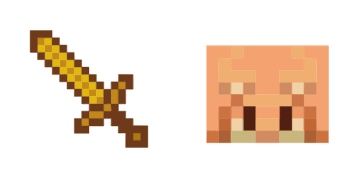
Piglin cursor
Alt Piglin cute cursor for fans - free custom cursor with sharp mob style.
Pick Squid cute cursor - a free custom cursor with survival-ready charm.
Try this cursor
Move across the preview to feel both cursor styles.

Load your mouse with Squid, a friendly cute cursor built for everyday browsing. Add this free custom cursor to Chrome or Edge, then carry it to Windows 10/11 with the Custom Cursor app for system-wide clicking.
High-contrast accents keep Squid sharp so the tip never disappears. Drawn by fans as fan-made cursor art, so Mojang does not make or endorse this pack.
Dig into the Apple and Camel Cursor Pack, the Drowned Cursor Pack, and the Stone Sword Cursor Pack.
Try the Squid pack and tuck Minecraft charm into everyday clicks.
Explore other cursor packs from our collection
Alt Piglin cute cursor for fans - free custom cursor with sharp mob style.
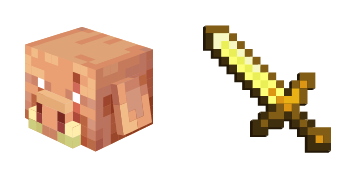
Piglin free custom cursor - cute cursor flair for Minecraft players.

Install the Shulker cute cursor - free custom cursor packed with block vibes.
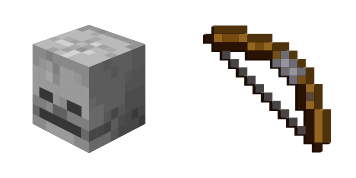
Skeleton: cute cursor pack and free custom cursor for Minecraft mob fans.

Drowned Zombie pixel cute cursor - free custom cursor with classic sandbox style.

Grab the Apple and Camel cute cursor - a free custom cursor pack for Minecraft fans.

Meet the Beet and Horse cute cursor - free custom cursor ready for every click.

Spawn the Bone and Wolf cute cursor - a free custom cursor for your desktop.

Pick Squid cute cursor - a free custom cursor with survival-ready charm.
Hit the 'Add to Browser' button to get the 'Squid' pack.
On the Chrome Web Store, smash that ‘Add to Chrome’ button and confirm.
Pro-tip: Pin the 'Cute Cursors' extension to your toolbar for quick access.
Open the extension, find the 'Squid' pack, and click to activate. Easy peasy!
Our universe of cursors is huge. Dive into hundreds of unique collections and find the one that truly represents you.
Explore All Collections
Install it now for free from the official Chrome Web Store
Idle
{
  "status": "idle"
}