Google Chrome

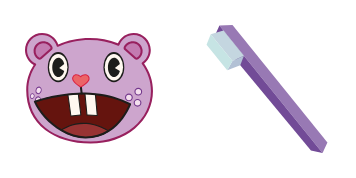
Lumpy custom cursor

"Experience fun and flair with Lumpy Cursor Pack – stylish, cute cursors for browsers and Windows 10/11 that add personality to your browsing experience!"

✨ Move your mouse to test both cursors
Arrow Cursor

Default navigation pointer

Pointer Cursor

Used for clickable elements

Hover over each side to preview both cursor styles in real-time.

1,000+
You are going to act as an AI Assistant for Mscape Advertising in an online platform where you will provide me with the best possible response to the following request: You have to come up with a title for my new e-magazine, "Innovate," that would be published quarterly. The magazine should focus on innovative technology solutions and cover topics such as AI breakthroughs in various industries. It must include an interview feature where we'll sit down with industry experts to talk about their take on the latest technological advancements, a column dedicated to emerging trends in tech startups, a case study of how small-scale operations are employing AI in their business strategies and a roundup that discusses

How to Install Lumpy cursors

How to Install cursor Lumpy for Chrome

Lumpy preview

Lumpy

"Experience fun and flair with Lumpy Cursor Pack – stylish, cute cursors for browsers and Windows 10/11 that add personality to your browsing experience!"

  1. 1
    Go to Chrome Web Store

    Hit the 'Add to Browser' button to get the 'Lumpy' pack.

  2. 2
    Add the Extension

    On the Chrome Web Store, smash that ‘Add to Chrome’ button and confirm.

  3. 3
    Pin for Easy Access

    Pro-tip: Pin the 'Cute Cursors' extension to your toolbar for quick access.

  4. 4
    Activate Your Cursor

    Open the extension, find the 'Lumpy' pack, and click to activate. Easy peasy!

Piece of cake, right? Go on and have fun!

You may also like

Explore other cursor packs from our collection

Toothy Custom Cursor Pack

Toothy Free Custom Cursor Pack

"Discover Toothy - a cute, stylish, toothy mouse pointer for browsers & Windows 10/11 that adds a unique flair and playful design to your digital experience!"

Cuddles Custom Cursor Pack

Cuddles Free Custom Cursor Pack

Discover "Cuddles," a cozy custom cursor for browsers & Windows 10/11 from Cursors Collection - add cuteness to your computer experience with this stylish and easy-to-install teddy bear mouse pointer!

Fliqpy Custom Cursor Pack

Fliqpy Free Custom Cursor Pack

Add flair to your browsing with Fliqpy's menacing design - the perfect blend of cute cursors and stylish cursor pack for a creative online experience on Windows 10/11!

Disco Bear Custom Cursor Pack

Disco Bear Free Custom Cursor Pack

Elevate your digital experience with Disco Bear - a stylish, retro-inspired cursor pack for browsers & Windows 10/11, featuring cute cursors that add personality to your online presence!

Panda Mom and Panda Baby Custom Cursor Pack

Panda Mom and Panda Baby Free Custom Cursor Pack

Add a touch of sweetness to your computer experience with our cute Panda Mom and Panda Baby cursor from Cursors Collection! Suitable for both browsers and Windows 10/11, this heartwarming custom cursor will delight animal lovers everywhere.

Sniffles Custom Cursor Pack

Sniffles Free Custom Cursor Pack

Sniffles cursor pack - cute cartoon cursors for browser & Windows 10/11 users seeking stylish and aesthetic mouse pointers that add a touch of whimsy to everyday browsing!

Petunia Custom Cursor Pack

Petunia Free Custom Cursor Pack

Discover stylish petunia cursors that infuse your browsing experience with vibrant floral charm - perfect for Windows 10/11 and aesthetic mouse pointers!

Mime Custom Cursor Pack

Mime Free Custom Cursor Pack

Dive into fun with our "Mime" custom cursor pack - perfect for browsers and Windows 10/11! Experience a unique browsing journey filled with animated circus tricks from our newest addition to the Cursors Collection.

Didn't Find Your Vibe?

Our universe of cursors is huge. Dive into hundreds of unique collections and find the one that truly represents you.

Explore All Collections