Google Chrome

Gravity Falls Ford Pines & Journal 3 custom cursor

Dive into supernatural exploration with Gravity Falls' custom cursors inspired by Ford Pines & Journal vice! Perfect for browsers and Windows 10/11, these stylish and cute mouse pointers are a must-have adventure beyond the ordinary. Discover Grunkle For

✨ Move your mouse to test both cursors
Arrow Cursor

Default navigation pointer

Pointer Cursor

Used for clickable elements

Hover over each side to preview both cursor styles in real-time.

1,000+

Embark on Adventure with "Gravity Falls Ford Pines & Journal 3" Custom Cursor

Dive into a world of supernatural exploration and excitement with the "Gravity Falls Ford Pines & Journal 3" custom cursor. Inspired by the legendary Grunkle Ford from the hit show Gravity Falls, this fanart-inspired custom cursor features an iconic six-finger hand symbol that represents Ford's expertise and dedication to unveiling supernatural phenomena.

The "Gravity Falls Ford Pines & Journal 3" cursor was inspired by the adventures of Grunkle Ford, a renowned paranormal investigator from the show. His curiosity for supernatural mysteries led him to create this unique and eye-catching custom cursor, making your desktop experience an exciting journey.

If you're interested in other fun and creative cursors, be sure to check out "The Simpsons Robert Terwilliger & Knife" or "Andy’s Apple Farm & Arrow."

This fanart-inspired cursor is a must-have for any Gravity Falls enthusiast.

How to Install Gravity Falls Ford Pines & Journal 3 cursors

How to Install cursor Gravity Falls Ford Pines & Journal 3 for Chrome

Gravity Falls Ford Pines & Journal 3 preview

Gravity Falls Ford Pines & Journal 3

Dive into supernatural exploration with Gravity Falls' custom cursors inspired by Ford Pines & Journal vice! Perfect for browsers and Windows 10/11, these stylish and cute mouse pointers are a must-have adventure beyond the ordinary. Discover Grunkle For

  1. 1
    Go to Chrome Web Store

    Hit the 'Add to Browser' button to get the 'Gravity Falls Ford Pines & Journal 3' pack.

  2. 2
    Add the Extension

    On the Chrome Web Store, smash that ‘Add to Chrome’ button and confirm.

  3. 3
    Pin for Easy Access

    Pro-tip: Pin the 'Cute Cursors' extension to your toolbar for quick access.

  4. 4
    Activate Your Cursor

    Open the extension, find the 'Gravity Falls Ford Pines & Journal 3' pack, and click to activate. Easy peasy!

Piece of cake, right? Go on and have fun!

You may also like

Explore other cursor packs from our collection

Gravity Falls Shimmery Twinkleheart Custom Cursor Pack

Gravity Falls Shimmery Twinkleheart Free Custom Cursor Pack

"Elevate your desktop experience with our enchanting 'Gravity Falls Shimmery Twinkleheart' custom cursor pack - the perfect blend of mystery and adventure for browsers & Windows 10/11 users."

Gravity Falls Gideon Gleeful & Mystic Amulet Custom Cursor Pack

Gravity Falls Gideon Gleeful & Mystic Amulet Free Custom Cursor Pack

"Embrace style with our cute Gravity Falls Gideon Gleeful & Mystic Amulet custom cursor pack - perfect for browsers and Windows 10/11."

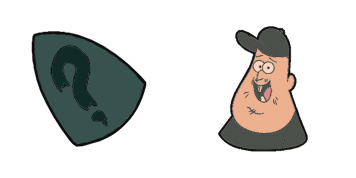
Gravity Falls Soos Ramirez & Question Mark Custom Cursor Pack

Gravity Falls Soos Ramirez & Question Mark Free Custom Cursor Pack

Experience Gravity Falls with these stylish browser cursors featuring our favorite characters: Soos Ramirez & Question Mark! Perfect for Windows 10/11 devices.

Old Man McGucket Custom Cursor Pack

Old Man McGucket Free Custom Cursor Pack

Add a touch of fun and nostalgia with our Old Man McGucket cursor from Gravity Falls Cursor Collection - perfect for both browsers and Windows 10/11 users!

Mabel Pines Custom Cursor Pack

Mabel Pines Free Custom Cursor Pack

Discover a world of fun with the Gravity Falls Cursor Collection's stylish Mabel Pines cursor - perfect for browsers and Windows 10/11! Add some cute flair to your mouse pointer experience.

Ford Pines Custom Cursor Pack

Ford Pines Free Custom Cursor Pack

Discover fun and stylish mouse cursors with our custom cursor pack featuring cute and aesthetic designs like the animated Ford Pines from Gravity Falls - perfect for browsers and Windows 10/11!

Mason «Dipper» Pines Custom Cursor Pack

Mason «Dipper» Pines Free Custom Cursor Pack

Explore Gravity Falls' charm with our cute and stylish custom cursor pack - Mason "Dipper" Pines for Windows 10/11 & browsers!

Mason «Dipper» Pines Custom Cursor Pack

Mason «Dipper» Pines Free Custom Cursor Pack

Dive into the mystery of Gravity Falls with Mason "Dipper" Pines custom cursor - stylish mouse pointer for browsers and Windows 10/11!

Didn't Find Your Vibe?

Our universe of cursors is huge. Dive into hundreds of unique collections and find the one that truly represents you.

Explore All Collections