Google Chrome

Portal 2 custom cursor

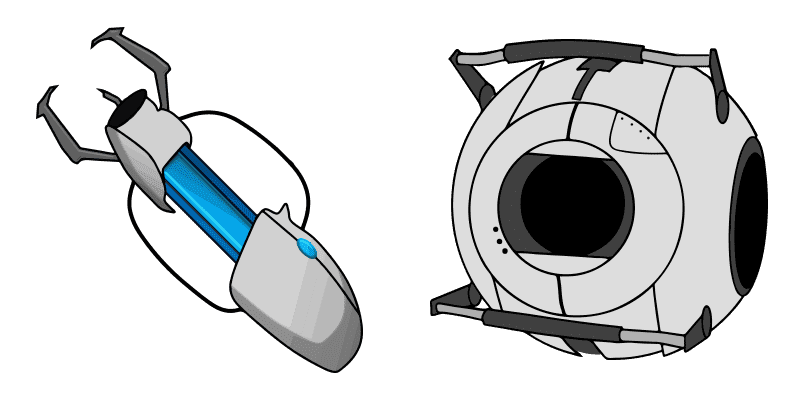
Experience gaming on-the-go with our stylish "Portal 2" custom cursor pack! Perfect for browsers and Windows 10/11, these cute cursors add personality to your digital world. Enjoy navigating with the iconic blue and orange portal gun from Portal ^game.

✨ Move your mouse to test both cursors
Arrow Cursor

Default navigation pointer

Pointer Cursor

Used for clickable elements

Hover over each side to preview both cursor styles in real-time.

1,000+
- The first step is to understand that the Cursors Collection features a variety of different cursors, including those that are themed around various video games, such as "Portal 2", but all these specifics can be easily obtained if you have an account with Google Chrome. As an AI I want to design and implement a new feature for the Portal 2 Cursor on my website's webpage using HTML and CSS only (no JavaScript or other programming languages). You want the cursor icon displayed in black color, but not transparent when hovered over, and have it blink every 10 seconds. The portal is set to be visible at all times. I would like you to create a new feature for our website that will allow visitors to play the "Cursors Collection" game on their computers. You should use PHP, CSS, JavaScript, and HTML code. Write the code only in Python coding style?

How to Install Portal 2 cursors

How to Install cursor Portal 2 for Chrome

Portal 2 preview

Portal 2

Experience gaming on-the-go with our stylish "Portal 2" custom cursor pack! Perfect for browsers and Windows 10/11, these cute cursors add personality to your digital world. Enjoy navigating with the iconic blue and orange portal gun from Portal ^game.

  1. 1
    Go to Chrome Web Store

    Hit the 'Add to Browser' button to get the 'Portal 2' pack.

  2. 2
    Add the Extension

    On the Chrome Web Store, smash that ‘Add to Chrome’ button and confirm.

  3. 3
    Pin for Easy Access

    Pro-tip: Pin the 'Cute Cursors' extension to your toolbar for quick access.

  4. 4
    Activate Your Cursor

    Open the extension, find the 'Portal 2' pack, and click to activate. Easy peasy!

Piece of cake, right? Go on and have fun!

You may also like

Explore other cursor packs from our collection

Omniknight Custom Cursor Pack

Omniknight Free Custom Cursor Pack

Elevate your browsing game with Omniknight cursor pack - a stylish and unique set of browser cursors inspired by the iconic Dota 2 hero! Perfect for Windows 10/11 users seeking an impressive aesthetic mouse pointer experience.

Bo Custom Cursor Pack

Bo Free Custom Cursor Pack

Discover Bo's lively bounce in our custom cursors pack - designed for browsers and Windows 10/11, featuring cute, aesthetic mouse pointers that enhance your browsing experience with style!

King Dedede Custom Cursor Pack

King Dedede Free Custom Cursor Pack

Dive into a world of cuteness with our custom "King Dedede" mouse cursors - perfect for browsers & Windows 10/11! Add some playful charm to your digital experience now.

The Legend of Zelda Custom Cursor Pack

The Legend of Zelda Free Custom Cursor Pack

Experience the iconic Triforce symbol with our stylish Legend of Zelda cursor pack - perfect for browsers and Windows 10/11! Upgrade your aesthetic mouse pointer today.

SIMS Custom Cursor Pack

SIMS Free Custom Cursor Pack

Experience nostalgia with the SIMS cursor from our Cursors Collection! A pixelated, classic gaming cursor inspired by The Sims for browsers and Windows 10/11. Add a playful touch to your browsing experience today!

Fancy Pants Adventures Captain Manly Beard Custom Cursor Pack

Fancy Pants Adventures Captain Manly Beard Free Custom Cursor Pack

Experience the thrill of Fancy Pants Adventures with our custom "Captain Manly Beard" cursor pack - perfect for browsers and Windows 10/11!

Hitman Custom Cursor Pack

Hitman Free Custom Cursor Pack

Unleash your inner gamer with our custom Hitman mouse cursor pack - perfect for Windows 10/11 and browsers! Explore cute, aesthetic, stylish cursors that elevate browsing to the next level of fun!

Shadow Fight May & Wrath of Flame Custom Cursor Pack

Shadow Fight May & Wrath of Flame Free Custom Cursor Pack

Experience the intensity of Shadow Fight's May with our free custom cursor pack - ideal for browsers and Windows 10/11 users! Unleash fiery precision on your desktop now!

Didn't Find Your Vibe?

Our universe of cursors is huge. Dive into hundreds of unique collections and find the one that truly represents you.

Explore All Collections