Google Chrome

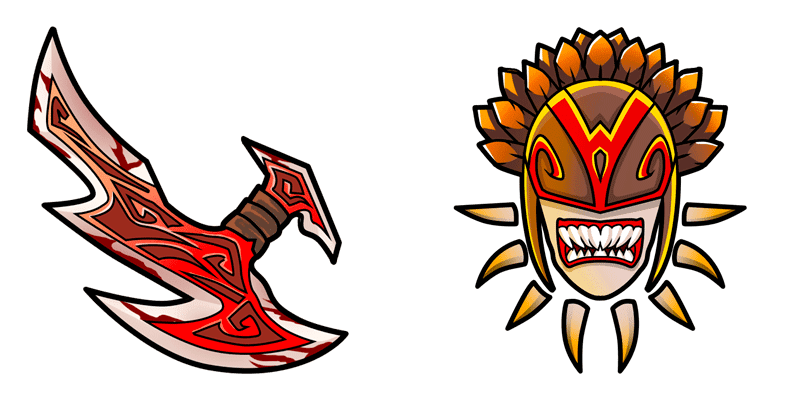
Bloodseeker custom cursor

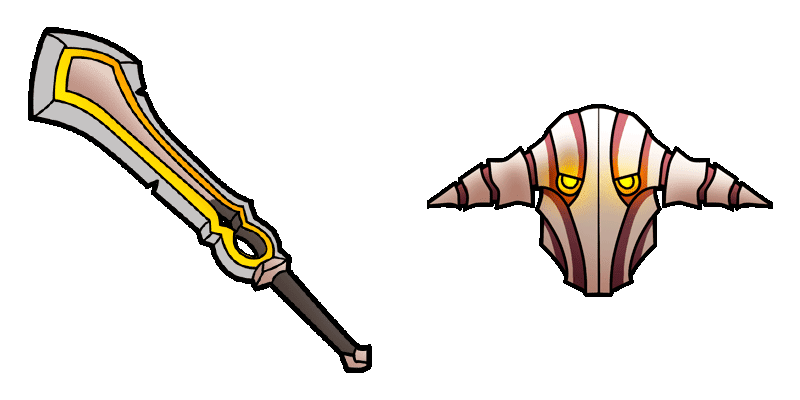
Dive into gaming with the "Bloodseeker" custom cursor pack - stylish, easy-to-install cursors perfect for Windows 10/11 and browsers! Show your dedication to Dota 2 like never before. Join Bloodseeker fans worldwide today!

✨ Move your mouse to test both cursors
Arrow Cursor

Default navigation pointer

Pointer Cursor

Used for clickable elements

Hover over each side to preview both cursor styles in real-time.

1,000+
Now I will ask you two things: How does the Cursors Collection cater to both novice and experienced users? Does it include guides or manuals for customization, or is it strictly image sets? If so, what types of cursors are featured in this collection and how do they enhance a user's workflow?

How to Install Bloodseeker cursors

How to Install cursor Bloodseeker for Chrome

Bloodseeker preview

Bloodseeker

Dive into gaming with the "Bloodseeker" custom cursor pack - stylish, easy-to-install cursors perfect for Windows 10/11 and browsers! Show your dedication to Dota 2 like never before. Join Bloodseeker fans worldwide today!

  1. 1
    Go to Chrome Web Store

    Hit the 'Add to Browser' button to get the 'Bloodseeker' pack.

  2. 2
    Add the Extension

    On the Chrome Web Store, smash that ‘Add to Chrome’ button and confirm.

  3. 3
    Pin for Easy Access

    Pro-tip: Pin the 'Cute Cursors' extension to your toolbar for quick access.

  4. 4
    Activate Your Cursor

    Open the extension, find the 'Bloodseeker' pack, and click to activate. Easy peasy!

Piece of cake, right? Go on and have fun!

You may also like

Explore other cursor packs from our collection

Poppy Playtime Mommy Long Legs Custom Cursor Pack

Poppy Playtime Mommy Long Legs Free Custom Cursor Pack

Discover an eerie delight with our custom Poppy Playtime Mommy Long Legs cursors - a must-have for Windows 10/11 users seeking a chillingly creative experience!

KleptoDogs Cotton Custom Cursor Pack

KleptoDogs Cotton Free Custom Cursor Pack

Discover KleptoDogs Cotton: a charming, cute cursors pack for browsers & Windows 10/11, adding playfulness and style to your digital world!

Genshin Impact Games Custom Cursor Pack

Genshin Impact Games Free Custom Cursor Pack

Dive into Genshin Impact with our Games Cursor Collection! Experience enhanced browser navigation with cute and stylish cursors perfect for Windows 10/11 users. Join the adventure today!

Poppy Playtime Bron Custom Cursor Pack

Poppy Playtime Bron Free Custom Cursor Pack

Discover a playful twist on your browsing experience with our custom "Poppy Playtime Bron" cursor - perfect for browsers and Windows 10/11!

League of Legends Custom Cursor Pack

League of Legends Free Custom Cursor Pack

Elevate your online experience with our stylish League of Legends cursor pack - perfect for Windows 10/11 browsers and designed for every gamer's playstyle!

Subway Surfers Games Custom Cursor Pack

Subway Surfers Games Free Custom Cursor Pack

Discover the stylish Subway Surfers Games cursor from our collection - designed for browsers & Windows 10/11, featuring vibrant colors & unique aesthetics to add fun art to your browsing sessions!

Kleptocats 2 Pixel Custom Cursor Pack

Kleptocats 2 Pixel Free Custom Cursor Pack

Experience nostalgic joy with our "Kleptocats 2 Pixel" cursor pack - perfect for browsers and Windows 10/11! Add vibrant colors and whimsy to your browsing experience with this delightful collection of cute, stylish cursors inspired by the popular game.

Fancy Pants Adventures Captain Manly Beard Custom Cursor Pack

Fancy Pants Adventures Captain Manly Beard Free Custom Cursor Pack

Experience the thrill of Fancy Pants Adventures with our custom "Captain Manly Beard" cursor pack - perfect for browsers and Windows 10/11!

Didn't Find Your Vibe?

Our universe of cursors is huge. Dive into hundreds of unique collections and find the one that truly represents you.

Explore All Collections