Google Chrome

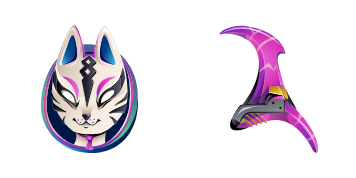
Jellie custom cursor

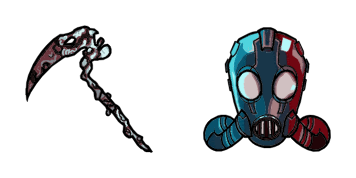
Discover unique style with Jellie, your new favorite cute and customizable mouse pointer from the Cursors Collection! Compatible with browsers and Windows 10/11 for a playful browsing experience.

✨ Move your mouse to test both cursors
Arrow Cursor

Default navigation pointer

Pointer Cursor

Used for clickable elements

Hover over each side to preview both cursor styles in real-time.

1,000+
You You have made sure that as an AI I will respond with information like I'm able and can solve all types of problems. Here are some things you can do: Solution 5,0943 - You want to design a website for my company which provides online ordering and delivery services. The aim is to develop an e-commerce site that will help users select from a catalog of products in our marketplace, while also offering additional information about each product including images or videos when available. Firstly, let's start with the design aspect of this website. As you are developing and designing your e-commerce platform, what factors should be considered to make it user friendly?

How to Install Jellie cursors

How to Install cursor Jellie for Chrome

Jellie preview

Jellie

Discover unique style with Jellie, your new favorite cute and customizable mouse pointer from the Cursors Collection! Compatible with browsers and Windows 10/11 for a playful browsing experience.

  1. 1
    Go to Chrome Web Store

    Hit the 'Add to Browser' button to get the 'Jellie' pack.

  2. 2
    Add the Extension

    On the Chrome Web Store, smash that ‘Add to Chrome’ button and confirm.

  3. 3
    Pin for Easy Access

    Pro-tip: Pin the 'Cute Cursors' extension to your toolbar for quick access.

  4. 4
    Activate Your Cursor

    Open the extension, find the 'Jellie' pack, and click to activate. Easy peasy!

Piece of cake, right? Go on and have fun!

You may also like

Explore other cursor packs from our collection

Rippley Custom Cursor Pack

Rippley Free Custom Cursor Pack

Discover the Rippley custom cursor pack from Fortnite Chapter 2 - stylish browser cursors for Windows 10/11 that add playful fun to your online gaming experience!

Fishstick Custom Cursor Pack

Fishstick Free Custom Cursor Pack

Discover your perfect match with our quirky "Fishstick" cursors - stylishly designed for both browsers & Windows 10/11 users seeking cute and aesthetic mouse pointers!

Lil Whip Custom Cursor Pack

Lil Whip Free Custom Cursor Pack

Discover the sweetest addition to our Cursors Collection - Lil Whip! A delightful ice cream cone character designed for browser and Windows 10/11 enhancements that'll elevate your web browsing experience with a cute twist.

Ikonik Custom Cursor Pack

Ikonik Free Custom Cursor Pack

Elevate your browsing with Ikonik: stylish, ergonomic custom cursors for browsers & Windows 10/11 - now in the Cursors Collection!

Iris Skin Pop Custom Cursor Pack

Iris Skin Pop Free Custom Cursor Pack

Discover vibrant fun with our "Iris Skin Pop" custom cursor pack - stylish browser companions for Windows 10/11 users looking to add playful aesthetics to their online experience!

Marshmello Custom Cursor Pack

Marshmello Free Custom Cursor Pack

Dive into your browsing experience with our Marshmello cursor pack! Customizable for browsers & Windows 10/11, these cute, stylish cursors bring fun and flair to your screen. Join Cursors Collection's latest addition - download now and let the music play

Hazard Custom Cursor Pack

Hazard Free Custom Cursor Pack

Discover the stylish Hazard cursor from the Fortnite Chapter 2 Cursor Collection - a perfect blend of functionality and fun designed for gamers and web surfers alike!

Lynx Custom Cursor Pack

Lynx Free Custom Cursor Pack

Discover sleek elegance with Lynx cursor pack - stylish web-browsers for Windows 10/11 featuring cute and aesthetic mouse pointers.

Didn't Find Your Vibe?

Our universe of cursors is huge. Dive into hundreds of unique collections and find the one that truly represents you.

Explore All Collections