Google Chrome

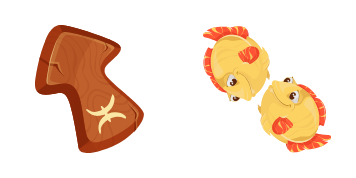
Sagittarius Zodiac Sign custom cursor

Discover our stylish Sagittarius Zodiac Sign cursor pack - a perfect blend of optimism and progress for Windows 10/11 users seeking a personalized browsing experience!

✨ Move your mouse to test both cursors
Arrow Cursor

Default navigation pointer

Pointer Cursor

Used for clickable elements

Hover over each side to preview both cursor styles in real-time.

1,000+
You have been provided with a link that I want you to use as a reference. You are writing an email asking for more information about "cursors" in two parts of speech: short answers and complex calculations. Here's the text: You are going on vacation and will be out of reach during the next 2 weeks, and therefore can not answer until 18th December. The first line must contain at least 50 words but no more than 60.

How to Install Sagittarius Zodiac Sign cursors

How to Install cursor Sagittarius Zodiac Sign for Chrome

Sagittarius Zodiac Sign preview

Sagittarius Zodiac Sign

Discover our stylish Sagittarius Zodiac Sign cursor pack - a perfect blend of optimism and progress for Windows 10/11 users seeking a personalized browsing experience!

  1. 1
    Go to Chrome Web Store

    Hit the 'Add to Browser' button to get the 'Sagittarius Zodiac Sign' pack.

  2. 2
    Add the Extension

    On the Chrome Web Store, smash that ‘Add to Chrome’ button and confirm.

  3. 3
    Pin for Easy Access

    Pro-tip: Pin the 'Cute Cursors' extension to your toolbar for quick access.

  4. 4
    Activate Your Cursor

    Open the extension, find the 'Sagittarius Zodiac Sign' pack, and click to activate. Easy peasy!

Piece of cake, right? Go on and have fun!

You may also like

Explore other cursor packs from our collection

Sal Spudder Custom Cursor Pack

Sal Spudder Free Custom Cursor Pack

"Explore your web journey with Sal Spudder - an animated potato cursor for browsers & Windows 10/11 that adds playful personality to your browsing experience."

King Dice Custom Cursor Pack

King Dice Free Custom Cursor Pack

Add playful personality to your browsing with our King Dice custom cursor! Designed for both browsers and Windows 10/11, this cute and stylish cursor from our Cursors Collection is sure to make your mouse pointer experience more fun!

Work of Heart Bear Custom Cursor Pack

Work of Heart Bear Free Custom Cursor Pack

"Add charm to your digital world with our custom 'Work of Heart Bear' cursor - perfect for browsers and Windows 10/11! This cute, heartwarming balloon-bear mouse pointer brings joy to every click."

Juggler Custom Cursor Pack

Juggler Free Custom Cursor Pack

Dive into an engaging browsing journey with the Juggler Cursor Pack - adding playful charm to Windows 10/11 and browser screens! Perfect for a stylish and personalized cursor experience.

Caspian Custom Cursor Pack

Caspian Free Custom Cursor Pack

Discover the sleek and modern design of Caspian cursor - part of our unique Cursors Collection! Ideal for browsers & Windows 10/11, this stylish mouse pointer with smooth animation adds a touch of sophistication to your digital space. Try it today.

Popcorn and Corn Custom Cursor Pack

Popcorn and Corn Free Custom Cursor Pack

Discover whimsy with "Popcorn and Corn" custom cursors! Perfect for Windows 10/11, these cute and aesthetic mouse pointers add fun to browsing food-related content. Download now from the Cursors Collection website!

Luke Skywalker Custom Cursor Pack

Luke Skywalker Free Custom Cursor Pack

"Unleash Star Wars magic in browsing with our custom Luke Skywalker cursors for browsers and Windows 10/11 - a must-have stylish cursor pack free to download!"

Hinata Hyuga Custom Cursor Pack

Hinata Hyuga Free Custom Cursor Pack

Discover stylish browser cursors with the Hinata Hyuga collection - aesthetic mouse pointers inspired by anime that enhance your browsing experience on Windows 10/11 systems!

Didn't Find Your Vibe?

Our universe of cursors is huge. Dive into hundreds of unique collections and find the one that truly represents you.

Explore All Collections