


Portgas D. Ace cursor
Fire Fist heat in the Portgas D. Ace cute cursor, a free custom cursor pack for Whitebeard fans.
Classic voyage feel in this One Piece cute cursor, a free custom cursor pack for longtime readers.
Try this cursor
Move across the preview to feel both cursor styles.

A straightforward nod to the manga: this classic One Piece cute cursor keeps the series icon on your pointer. Grab the One Piece Classic cute cursor free for Chrome and Edge, or run it on Windows 10/11 with the Custom Cursor app.
Clean linework and flat fills stay legible without competing with your desktop. The pack is fan-made cursor art and has no official tie to Eiichiro Oda, Shueisha, or Toei Animation.
Branch out into the crew with the One Piece Crew Cursor Pack, the Usopp Cursor Pack, and the Shanks Cursor Pack.
Download this classic One Piece cursor pack and keep the voyage on your desktop.
Explore other cursor packs from our collection
Fire Fist heat in the Portgas D. Ace cute cursor, a free custom cursor pack for Whitebeard fans.

Diva stage energy in the Uta cute cursor, a free custom cursor pack for Film Red song fans.
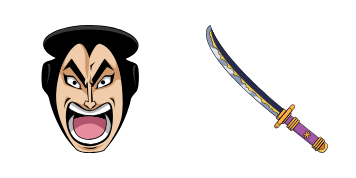
Wano legend in the Kozuki Oden cute cursor, a free custom cursor pack for samurai arc fans.

Surgeon of Death cool in the Trafalgar Law cute cursor, a free custom cursor pack for fans.

Red Hair authority in the Shanks cute cursor, a free custom cursor pack for Yonko fans.

Mochi power in the Charlotte Katakuri cute cursor, a free custom cursor pack for Whole Cake fans.

Clown chaos with the Buggy cute cursor, a free custom cursor pack full of Chop-Chop energy.

Super shipwright vibes in the Franky cute cursor, a free custom cursor pack for Straw Hat fans.

Classic voyage feel in this One Piece cute cursor, a free custom cursor pack for longtime readers.
Hit the 'Add to Browser' button to get the 'Cursor One piece' pack.
On the Chrome Web Store, smash that ‘Add to Chrome’ button and confirm.
Pro-tip: Pin the 'Cute Cursors' extension to your toolbar for quick access.
Open the extension, find the 'Cursor One piece' pack, and click to activate. Easy peasy!
Our universe of cursors is huge. Dive into hundreds of unique collections and find the one that truly represents you.
Explore All Collections
Install it now for free from the official Chrome Web Store
Idle
{
  "status": "idle"
}