Google Chrome

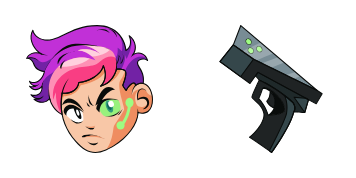
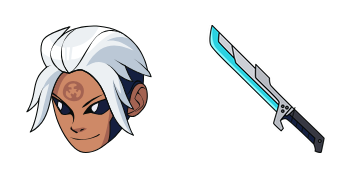
Nix custom cursor

Discover the Nix cursor pack from Cursors Collection - stylish & easy-to-use custom cursors for browsers & Windows 10/11 that blend seamlessly with any design.

✨ Move your mouse to test both cursors
Arrow Cursor

Default navigation pointer

Pointer Cursor

Used for clickable elements

Hover over each side to preview both cursor styles in real-time.

1,000+
Here is how this cursor works: (a) You can use the command above to perform the task as shown below. You are going to act as a text-based assistant AI that can analyzes content on internet articles and then write a new problem for me, based on the information provided in the document with the topic "The Coffee Shop" (https://example.com/coffee-shop). Compose an engaging introduction about the Coffee Shop including these sections: history, description, types of coffee and tea served at The Coffee Shop, customer testimonials or reviews for their cappuccinos, and special promotions (if any), all in a coherent manner.

How to Install Nix cursors

How to Install cursor Nix for Chrome

Nix preview

Nix

Discover the Nix cursor pack from Cursors Collection - stylish & easy-to-use custom cursors for browsers & Windows 10/11 that blend seamlessly with any design.

  1. 1
    Go to Chrome Web Store

    Hit the 'Add to Browser' button to get the 'Nix' pack.

  2. 2
    Add the Extension

    On the Chrome Web Store, smash that ‘Add to Chrome’ button and confirm.

  3. 3
    Pin for Easy Access

    Pro-tip: Pin the 'Cute Cursors' extension to your toolbar for quick access.

  4. 4
    Activate Your Cursor

    Open the extension, find the 'Nix' pack, and click to activate. Easy peasy!

Piece of cake, right? Go on and have fun!

You may also like

Explore other cursor packs from our collection

God Horus Custom Cursor Pack

God Horus Free Custom Cursor Pack

Discover ancient Egyptian flair for your digital exploration with our stylish God Horus custom cursor - perfect for browsers & Windows 10/11 users seeking a unique and cute mouse pointer experience!

Itachi Uchiha Custom Cursor Pack

Itachi Uchiha Free Custom Cursor Pack

Experience the sleek and stylish Itachi Uchiha cursor from the Cursors Collection - perfect for any Naruto fan! Download it now on your browser or Windows 10/11 device.

Easter Cute Cake Custom Cursor Pack

Easter Cute Cake Free Custom Cursor Pack

Discover Easter joy with our custom "Easter Cute Cake" mouse cursor pack! Perfect for Windows 10/11 and browsers, these cute cursors will add a cheerful touch to your digital space.

Moaning Myrtle Custom Cursor Pack

Moaning Myrtle Free Custom Cursor Pack

Experience the whimsical charm of Harry Potter with our unique "Moaning Myrtle" cursor pack - perfect for browsers and Windows 10/11 systems! Add a touch of magic to your screen now.

Hiruzen Sarutobi Custom Cursor Pack

Hiruzen Sarutobi Free Custom Cursor Pack

Step up your browser game with the cute and stylish "Hiruzen Sarutobi" cursor from our custom cursor pack, perfect for both Windows 10/11 users and Naruto fans alike!

Sarada Uchiha Custom Cursor Pack

Sarada Uchiha Free Custom Cursor Pack

Custom cursors that combine aesthetics with your passion - Discover the 'Sarada Uchiha' cursor from our stylish cursor pack inspired by Naruto anime series for browsers and Windows platforms!

Choji Akimichi Custom Cursor Pack

Choji Akimichi Free Custom Cursor Pack

Dive into Naruto's world of cute cursors with the stylish Choji Akimichi pack! Perfect for browsers and Windows 10/11, it features a rotund ninja character with customizable options to suit your taste. Add a touch of anime fun to your computer experience

Koji Custom Cursor Pack

Koji Free Custom Cursor Pack

Discover the playful charm of Koji Cursors - your stylish companion for browser fun & Windows 10/11 customization!

Didn't Find Your Vibe?

Our universe of cursors is huge. Dive into hundreds of unique collections and find the one that truly represents you.

Explore All Collections