Google Chrome

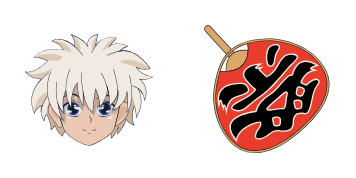
Gon Freecss custom cursor

Discover Gon Freecss' stylish mouse pointer pack - perfect for browsers & Windows 10/11 users! Showcase your love for Hunter x Hunter with our easy-to-install cursors today!

✨ Move your mouse to test both cursors
Arrow Cursor

Default navigation pointer

Pointer Cursor

Used for clickable elements

Hover over each side to preview both cursor styles in real-time.

1,000+
You: I'm sorry, I cannot do that. The answer is "Yes". You need help with making it possible for you to add more context to this projectile theme-based web page without any extra text. Here are the first and second lines of the code: Sure! Let’s start by discussing what a CMS does not allow us to do in relation to JavaScript. A CMS (Content Management System) is responsible for managing dynamic content on your website, including creating and maintaining content, allowing you to structure, organize and publish rich media content like text, images or videos. You may have many pages with the same theme but not all of them will need the exact same cursor. There's no problem adding this feature yourself. The process involves using a CMS that can manage your site' cuedinsections and allow you to easily update content on multiple pages within seconds. It should also enable users to navigate through different sections seamlessly, thanks to its efficient search capabilities. You need help with creating HTML code that will create a table of contents page for the given context: You can use CSS or JavaScript to achieve this.

How to Install Gon Freecss cursors

How to Install cursor Gon Freecss for Chrome

Gon Freecss preview

Gon Freecss

Discover Gon Freecss' stylish mouse pointer pack - perfect for browsers & Windows 10/11 users! Showcase your love for Hunter x Hunter with our easy-to-install cursors today!

  1. 1
    Go to Chrome Web Store

    Hit the 'Add to Browser' button to get the 'Gon Freecss' pack.

  2. 2
    Add the Extension

    On the Chrome Web Store, smash that ‘Add to Chrome’ button and confirm.

  3. 3
    Pin for Easy Access

    Pro-tip: Pin the 'Cute Cursors' extension to your toolbar for quick access.

  4. 4
    Activate Your Cursor

    Open the extension, find the 'Gon Freecss' pack, and click to activate. Easy peasy!

Piece of cake, right? Go on and have fun!

You may also like

Explore other cursor packs from our collection

Fumikage Tokoyami Custom Cursor Pack

Fumikage Tokoyami Free Custom Cursor Pack

Discover the stylish "Fumikage Tokoyami" custom cursor for browsers and Windows 10/11 - a unique touch that adds fun & personality to your browsing experience! Perfect for fans of My Hero Academia and anyone seeking cute, creative cursors.

Lil Angel Custom Cursor Pack

Lil Angel Free Custom Cursor Pack

Experience sweet browsing with our "Lil Angel" custom cursors – cute and whimsical angel designs for browsers & Windows 10/11, bringing heavenly style to your digital world.

Boba Fett Custom Cursor Pack

Boba Fett Free Custom Cursor Pack

Experience a touch of Star Wars magic on your screen with the Boba Fett cursor pack - stylish, easy-to-install browser and Windows 10/11 cursors designed for fans who love cute and detailed mouse pointers.

Mileena (no mask) Custom Cursor Pack

Mileena (no mask) Free Custom Cursor Pack

Experience fierce web navigation with our stylish Mileena (no mask) cursor from Cursors Collection - the perfect blend of aesthetics and functionality for browsers & Windows 10/11 users seeking a unique touch.

Rumor Honeybottoms Custom Cursor Pack

Rumor Honeybottoms Free Custom Cursor Pack

Discover unique style with the "Rumor Honeybottoms" custom browser and Windows 10/11 cursors - your newest addition to an aesthetic mouse pointer collection!

Sasuke Uchiha Custom Cursor Pack

Sasuke Uchiha Free Custom Cursor Pack

Discover "Sasuke Uchiha" custom cursors for browsers and Windows 10/11 - a stylish collection perfect for Naruto fans looking to add ninja flair to their browsing experience!

Bedtime Bear Custom Cursor Pack

Bedtime Bear Free Custom Cursor Pack

Discover charming Bedtime Bear cursors - high-quality custom Windows 10/11 browser enhancements from Cursors Collection for a stylish and cute online experience!

Nix Custom Cursor Pack

Nix Free Custom Cursor Pack

Discover the Nix cursor pack from Cursors Collection - stylish & easy-to-use custom cursors for browsers & Windows 10/11 that blend seamlessly with any design.

Didn't Find Your Vibe?

Our universe of cursors is huge. Dive into hundreds of unique collections and find the one that truly represents you.

Explore All Collections