

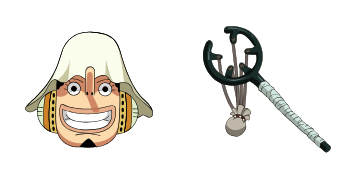
Usopp cursor
Sniper tall tales in the Usopp cute cursor, a free custom cursor pack for Straw Hat crew fans.
Clown chaos with the Buggy cute cursor, a free custom cursor pack full of Chop-Chop energy.
Try this cursor
Move across the preview to feel both cursor styles.

Red nose and a scattered body: the Buggy cute cursor drops the loudest clown captain onto your pointer. Grab the Buggy cute cursor free for Chrome and Edge, or run it on Windows 10/11 with the Custom Cursor app.
Bright circus colors make the Chop-Chop pirate pop even against busy backgrounds. The pack is fan-made cursor art and has no official tie to Eiichiro Oda, Shueisha, or Toei Animation.
Round out the rival captains with the Monkey D. Luffy Cursor Pack, the Shanks Cursor Pack, and the One Piece Jolly Roger Cursor Pack.
Install the Buggy cursor pack and let a boastful clown steer your mouse.
Explore other cursor packs from our collection
Sniper tall tales in the Usopp cute cursor, a free custom cursor pack for Straw Hat crew fans.

Reindeer doctor cheer in the Tony Tony Chopper cute cursor, a free custom cursor pack for fans.

Three-sword resolve in the Roronoa Zoro cute cursor, a free custom cursor pack for swordsman fans.

Classic voyage feel in this One Piece cute cursor, a free custom cursor pack for longtime readers.

Retro sprite charm in the Luffy pixel cute cursor, a free custom cursor pack with 8-bit flair.

Navigator flair in the Nami cute cursor, a free custom cursor pack for Straw Hat crew fans.

Devil Child calm in the Nico Robin cute cursor, a free custom cursor pack for archaeology fans.

Chibi crew charm in this One Piece cute cursor, a free custom cursor pack with playful proportions.

Clown chaos with the Buggy cute cursor, a free custom cursor pack full of Chop-Chop energy.
Hit the 'Add to Browser' button to get the 'Buggy' pack.
On the Chrome Web Store, smash that ‘Add to Chrome’ button and confirm.
Pro-tip: Pin the 'Cute Cursors' extension to your toolbar for quick access.
Open the extension, find the 'Buggy' pack, and click to activate. Easy peasy!
Our universe of cursors is huge. Dive into hundreds of unique collections and find the one that truly represents you.
Explore All Collections
Install it now for free from the official Chrome Web Store
Idle
{
  "status": "idle"
}