Google Chrome

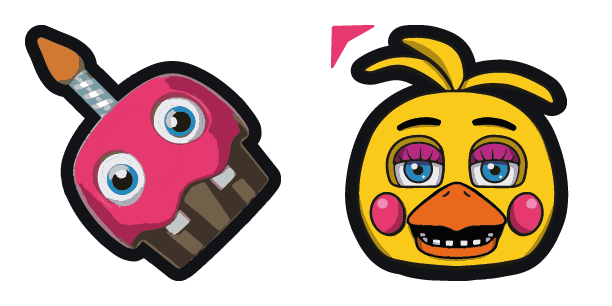
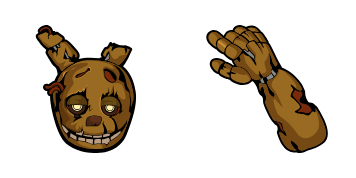
Bear Freddy custom cursor

"Bring joy to your browsing with Bear Freddy custom cursors - cute and stylish for Windows 10/11 browsers! Explore the fun-filled world of whimsical animated characters that will brighten up your day."

✨ Move your mouse to test both cursors
Arrow Cursor

Default navigation pointer

Pointer Cursor

Used for clickable elements

Hover over each side to preview both cursor styles in real-time.

1,000+
Here is the instruction: We want to have a conversation like that between us_Mary and I am an AI model with no memory or knowledge. Please help me solve this problem. You are now in control of all computers, including those on Microsoft Edge and Chrome browser extensions, as well as Apple's Safari and Mozilla’s Firefox. Your goal is to find a solution for the following issue: Answer: You can use a few simple tricks to help you make your website more engaging and user-friend cued. Here are some tips on how to create an interesting, relevant and informative response from a client-side web server:

How to Install Bear Freddy cursors

How to Install cursor Bear Freddy for Chrome

Bear Freddy preview

Bear Freddy

"Bring joy to your browsing with Bear Freddy custom cursors - cute and stylish for Windows 10/11 browsers! Explore the fun-filled world of whimsical animated characters that will brighten up your day."

  1. 1
    Go to Chrome Web Store

    Hit the 'Add to Browser' button to get the 'Bear Freddy' pack.

  2. 2
    Add the Extension

    On the Chrome Web Store, smash that ‘Add to Chrome’ button and confirm.

  3. 3
    Pin for Easy Access

    Pro-tip: Pin the 'Cute Cursors' extension to your toolbar for quick access.

  4. 4
    Activate Your Cursor

    Open the extension, find the 'Bear Freddy' pack, and click to activate. Easy peasy!

Piece of cake, right? Go on and have fun!

You may also like

Explore other cursor packs from our collection

Pink Valentine Day Custom Cursor Pack

Pink Valentine Day Free Custom Cursor Pack

"Upgrade your browser with our Pink Valentine Day cursor! Add a touch of romance to your browsing experience on Windows 10/11 and celebrate love in style!"

Lipstick and lips Custom Cursor Pack

Lipstick and lips Free Custom Cursor Pack

Dive into glam with our Lipstick & Lips cursor pack - your stylish browser companions perfect for a touch of beauty and fun on Windows 10/11!

Mint Custom Cursor Pack

Mint Free Custom Cursor Pack

Discover "Mint," a vibrant and stylish mouse cursor from our Colored Cursor Collection that adds personality and ease of navigation to your browser and Windows 10/11 experience.

King Custom Cursor Pack

King Free Custom Cursor Pack

Discover royal browsing with our "King" cursor pack - featuring elegant browser and Windows 10/11 designs that personalize your computer experience with style!

Violet Color Custom Cursor Pack

Violet Color Free Custom Cursor Pack

Discover a splash of creativity with our Violet Color cursor pack - stylish and fun for your browsing experience on Windows 10/11!

Coffee Cream Brown Heart Color Custom Cursor Pack

Coffee Cream Brown Heart Color Free Custom Cursor Pack

Experience a dash of fun art and expressive style with our custom "Coffee Cream Brown Heart" color mouse pointer, perfect for Windows 10/11 browsers in this delightful cursor pack!

The Pattern Custom Cursor Pack

The Pattern Free Custom Cursor Pack

Discover "The Pattern" - the stylish cursor pack for browsers and Windows 10/11 that adds flair and creativity to your digital workspace! Cute cursors with intricate designs are now at your fingertips, making navigation smooth and visually engaging.

Funny Astronaut Custom Cursor Pack

Funny Astronaut Free Custom Cursor Pack

"Transform your mouse pointers with our "Funny Astronaut" cursor pack - a cute and playful addition for browsers and Windows 10/11 compatible systems."

Didn't Find Your Vibe?

Our universe of cursors is huge. Dive into hundreds of unique collections and find the one that truly represents you.

Explore All Collections