Google Chrome

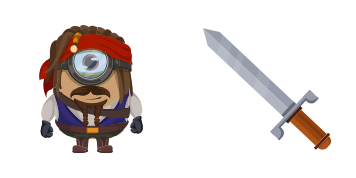
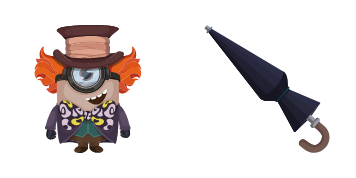
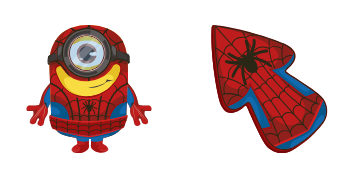
Minion: Groot Character custom cursor

"Experience the cutest cursors with our Minion Groot Character pack - perfect for browsers & Windows 10/11 users seeking fun and aesthetic mouse pointers!"

✨ Move your mouse to test both cursors
Arrow Cursor

Default navigation pointer

Pointer Cursor

Used for clickable elements

Hover over each side to preview both cursor styles in real-time.

1,000+
You 10 years ago, I began studying art history in college and became fascin marveling the evolution of fonts throughout history. In the early days before computers were a thing (circa-1960s), it was believed that the development of different cursors would have no significant effect on the design of typefaces used by graphic artists. However, as I delve deeper into my historical analysis, I find myself pondering certain aspects of this notion. The first known documented use of a cursor in 1442 BCE (in ancient Egyptian history), it was an olive branch that allowed the designer to place emphasis on their work at hand by keeping track of progress made with ease. As time marched on, cursors became more prevalent and were even incorporated into the design of typewriters and printers as a response to user demands for increased usability in the 19th century. I would like you to create a detailed analysis that assesses how the evolution of computer cursors from their early beginnings in ancient Egyptian history up until now has been influenced by social factors such as global pandemics, technological advancements, and cultural shifts.

How to Install Minion: Groot Character cursors

How to Install cursor Minion: Groot Character for Chrome

Minion: Groot Character preview

Minion: Groot Character

"Experience the cutest cursors with our Minion Groot Character pack - perfect for browsers & Windows 10/11 users seeking fun and aesthetic mouse pointers!"

  1. 1
    Go to Chrome Web Store

    Hit the 'Add to Browser' button to get the 'Minion: Groot Character' pack.

  2. 2
    Add the Extension

    On the Chrome Web Store, smash that ‘Add to Chrome’ button and confirm.

  3. 3
    Pin for Easy Access

    Pro-tip: Pin the 'Cute Cursors' extension to your toolbar for quick access.

  4. 4
    Activate Your Cursor

    Open the extension, find the 'Minion: Groot Character' pack, and click to activate. Easy peasy!

Piece of cake, right? Go on and have fun!

You may also like

Explore other cursor packs from our collection

Minion: Dobby Character Custom Cursor Pack

Minion: Dobby Character Free Custom Cursor Pack

"Unleash fun on your screens with our cute Minion Dobby character cursor pack! Ideal for browsers & Windows 10/11, this stylish cursor enhances browsing experience."

Minion: Stuart Custom Cursor Pack

Minion: Stuart Free Custom Cursor Pack

Discover fun with "Minion: Stuart" custom cursors for browsers & Windows 10/11 - a stylish cursor pack that adds personality to your browsing experience!

Minion: Darth Vader Character Custom Cursor Pack

Minion: Darth Vader Character Free Custom Cursor Pack

Dive into fun and personalized browsing with our unique "Minion: Darth Vader Character" cursor pack - stylish for Windows 10/11!

Minion: Einstein Custom Cursor Pack

Minion: Einstein Free Custom Cursor Pack

Get a stylish touch of fun with Minion: Einstein custom cursor - the perfect blend of cute cursors & iconic characters for your browser and Windows 10/11!

Minion: Ninja Turtle Character Custom Cursor Pack

Minion: Ninja Turtle Character Free Custom Cursor Pack

Discover the fun-filled Minion: Ninja Turtle Character Cursor Pack! Perfect for browsers and Windows 10/11 devices, these custom cursors add a stylish and creative touch to your online activities. Unlocking vibrant colors and exquisite detailing that will

Cool Minions Custom Cursor Pack

Cool Minions Free Custom Cursor Pack

Discover the Cool Minions cursor pack: stylish cursors for browsers and Windows 10/11 with cute designs that add a cheerful twist to your online experience!

Minion: Black Panther Character Custom Cursor Pack

Minion: Black Panther Character Free Custom Cursor Pack

Discover our stylish custom cursor pack featuring adorable browser cursors and Windows 10/11 mouse pointers - including a playful Minion Black Panther Character to add personality to your browsing experience!

Minions Custom Cursor Pack

Minions Free Custom Cursor Pack

Discover the adorable Minions cursor - perfect for Windows 10/11 users! Designed with cute and stylish cursors in mind, this custom pack brings fun to your browser experience.

Didn't Find Your Vibe?

Our universe of cursors is huge. Dive into hundreds of unique collections and find the one that truly represents you.

Explore All Collections