

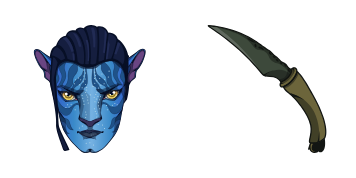
Jake Sully cursor
Grab the Jake Sully cute cursor - a free custom cursor pack for fans.
Free custom cursor: Yue cute cursor with a pixel Avatar look.
Try this cursor
Move across the preview to feel both cursor styles.

Queue up adventure with Yue: a friendly cute cursor ready for tabs and scrolls. Grab this free custom cursor for Chrome and Edge, and on Windows 10/11 with Custom Cursor when you want the same look across apps.
High-contrast accents keep Yue sharp so the tip never disappears. It is fan-made cursor art only and is not tied to any official Avatar product line.
Round out your set with the Zuko and Firebending Cursor Pack, the Aang Cursor Pack, and the Sokka and Boomerang Cursor Pack.
Try the Yue pack and tuck elemental charm into everyday clicks.
Explore other cursor packs from our collection
Grab the Jake Sully cute cursor - a free custom cursor pack for fans.

Neytiri cute cursor pack: free custom cursors with elemental style.
 A
AAang and Airbending cute cursor - free custom cursor with Avatar vibes.
 A
AFree custom cursor: Suki and Folding Fan cute cursor with a glossy Avatar look.
 A
AToph Beifong and Earthbending pixel cute cursor - free custom cursor for Avatar fans.
 A
AIroh and Jasmine Tea: cute cursor pack and free custom cursor for Avatar fans.
 A
ADrop the Appa cute cursor - a free custom cursor for your desktop.
 A
AAzula and Lightning cute cursor for fans - free custom cursor with adventure charm.

Free custom cursor: Yue cute cursor with a pixel Avatar look.
Hit the 'Add to Browser' button to get the 'Avatar Yue' pack.
On the Chrome Web Store, smash that ‘Add to Chrome’ button and confirm.
Pro-tip: Pin the 'Cute Cursors' extension to your toolbar for quick access.
Open the extension, find the 'Avatar Yue' pack, and click to activate. Easy peasy!
Our universe of cursors is huge. Dive into hundreds of unique collections and find the one that truly represents you.
Explore All Collections
Install it now for free from the official Chrome Web Store
Idle
{
  "status": "idle"
}